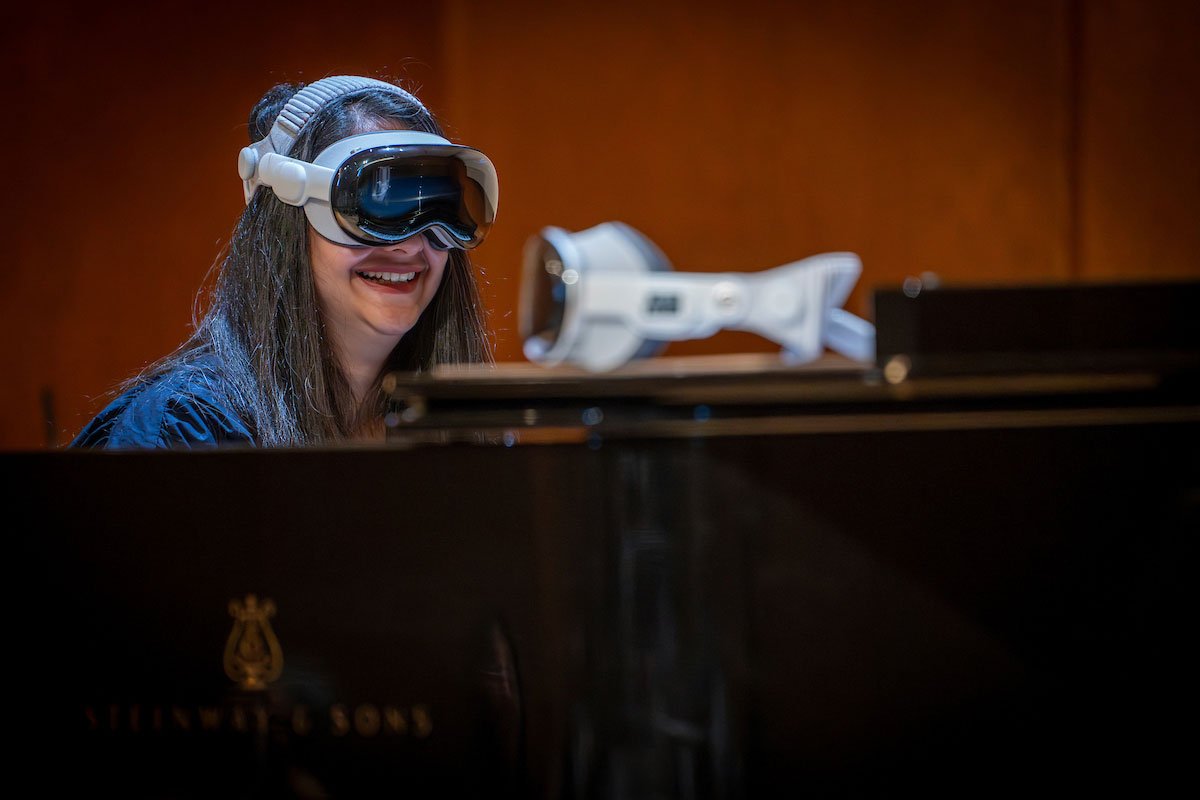
An immersive Mixed Reality (MR) experience designed to help piano students prepare for performances by practicing in virtual performance venues and developing strategies to manage music performance anxiety. The experience is being integrated into introductory piano courses, including Piano 110 at the University of Michigan’s School of Music, Theatre & Dance. In collaboration with the Institute for Social Research, faculty are also conducting research to evaluate the effectiveness of this MR intervention in reducing student anxiety and improving performance preparedness.
All Projects
PianoLab Pro
Overview
Work Type
Duration
~18 months | February 2025 – August 2026
The Problem / Purpose
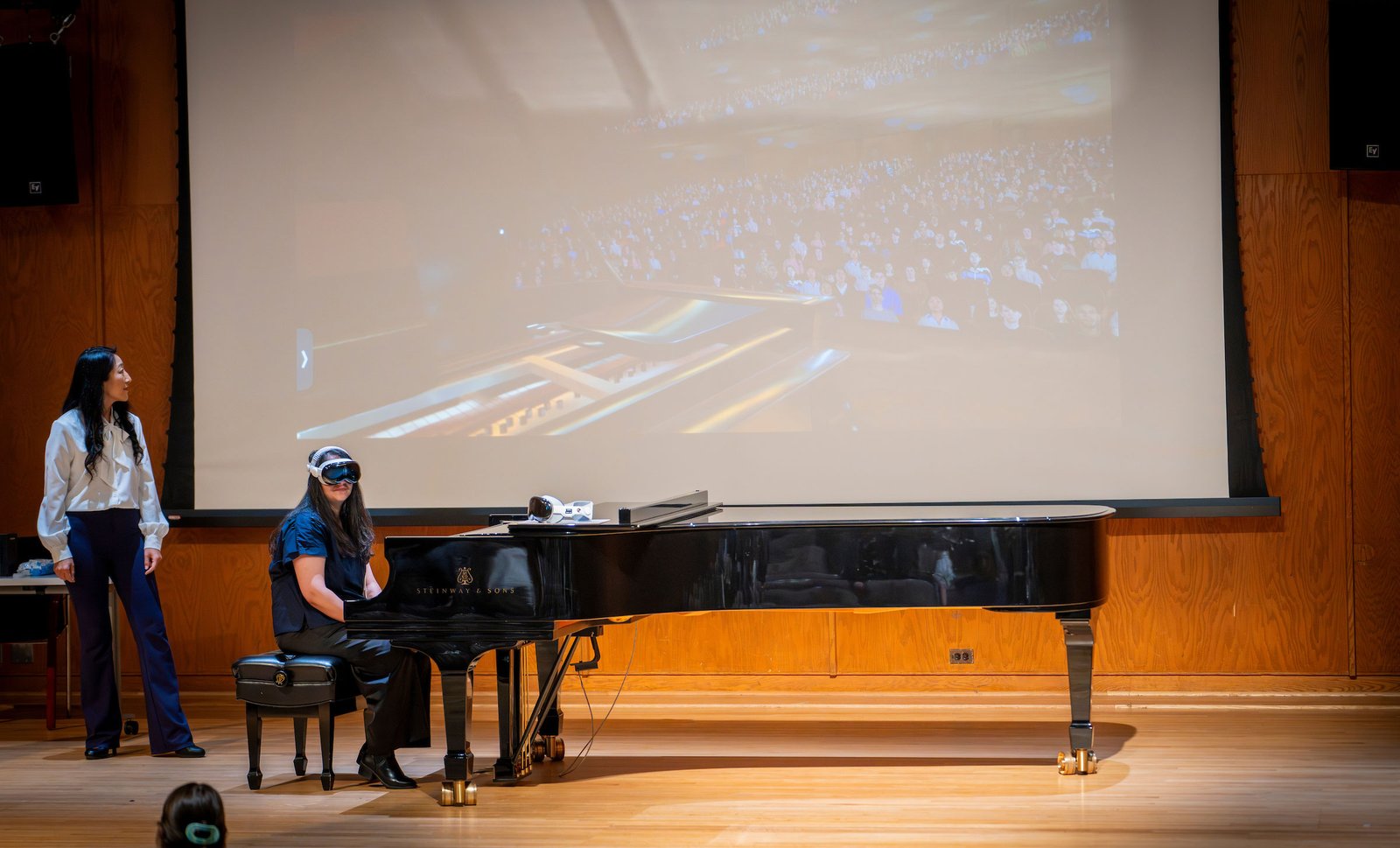
Performance anxiety in musicians reduces performance quality, limits learning, and undermines confidence. Traditional practice happens alone in a practice room, so students rarely rehearse the actual experience of performing: an audience, stage lighting, hall acoustics, and unpredictable distractions. PianoLab Pro was built to close that gap. Using the Apple Vision Pro, the application lets a student play their own physical piano while immersed in a 3D reconstruction of one of two real University of Michigan venues, Britton Recital Hall and Hill Auditorium, complete with a simulated audience and live performance conditions. The goal is to help students manage stage fright, build stage presence, and improve the quality of their live performances. The app is being deployed into introductory piano courses such as Piano 110 at UM, which runs 28+ sections per year for non-music majors, across 40+ piano courses per year, reaching 400+ students annually.
Faculty Leads
Aya Higuchi Hagelthorn, Lecturer of Piano Pedagogy and Director of Collegiate Class Piano, and Anıl Çamcı, Director of Graduate Studies and Associate Professor of Performing Arts Technology, University of Michigan.
My Role & Contributions
I served as the Lead Developer on PianoLab Pro, owning the application architecture and end-to-end technical implementation while directing a small technical team:
🎹 Supervised two XR developer fellows, including their work on audio prototypes for recreating hall acoustics and on UI/UX improvements to the onboarding flow.
🎹 Led dedicated code review sessions before merging fellow contributions into the main branch, coaching the team on best coding practices.
🎹 Shaped UX direction through recurring working sessions with the UXD fellow, advising on the interaction affordances and constraints specific to the Apple Vision Pro.
🎹 Collaborated with a cross-functional team spanning a project manager, a learning experience designer, an environment artist, student fellows supporting UXD and development, faculty stakeholders, media designers, behavioral scientists, an audio engineering student, and a research team from the Institute for Social Research.
🎹 Owned the full application lifecycle: early prototyping, design facilitation, UXD advising, architecture and coding, performance optimization, QA and bug fixing, technical documentation, research pilot support, and final deployment of the packaged build to faculty.

Design Philosophy & Approach
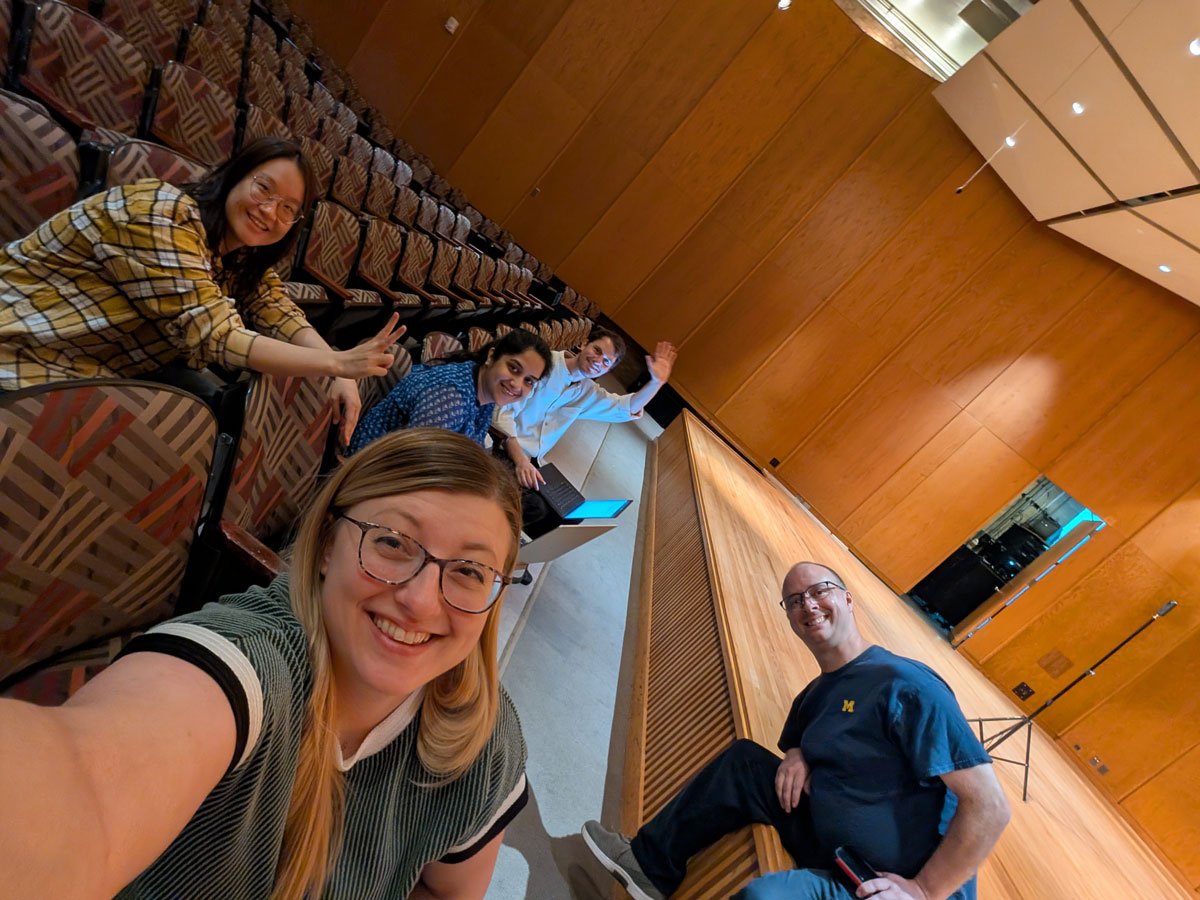
This was the team's first Apple Vision Pro application, so the first task was choosing the right foundation. I evaluated Unity and Unreal Engine against Apple's native toolset and found that Unreal, at the time, did not support mixed immersion development for the Vision Pro, a hard requirement for this project since students needed to see their real hands, real piano keys, and real sheet music through passthrough while immersed in a virtual hall. I chose to build natively in Swift, SwiftUI, RealityKit, and Reality Composer Pro.
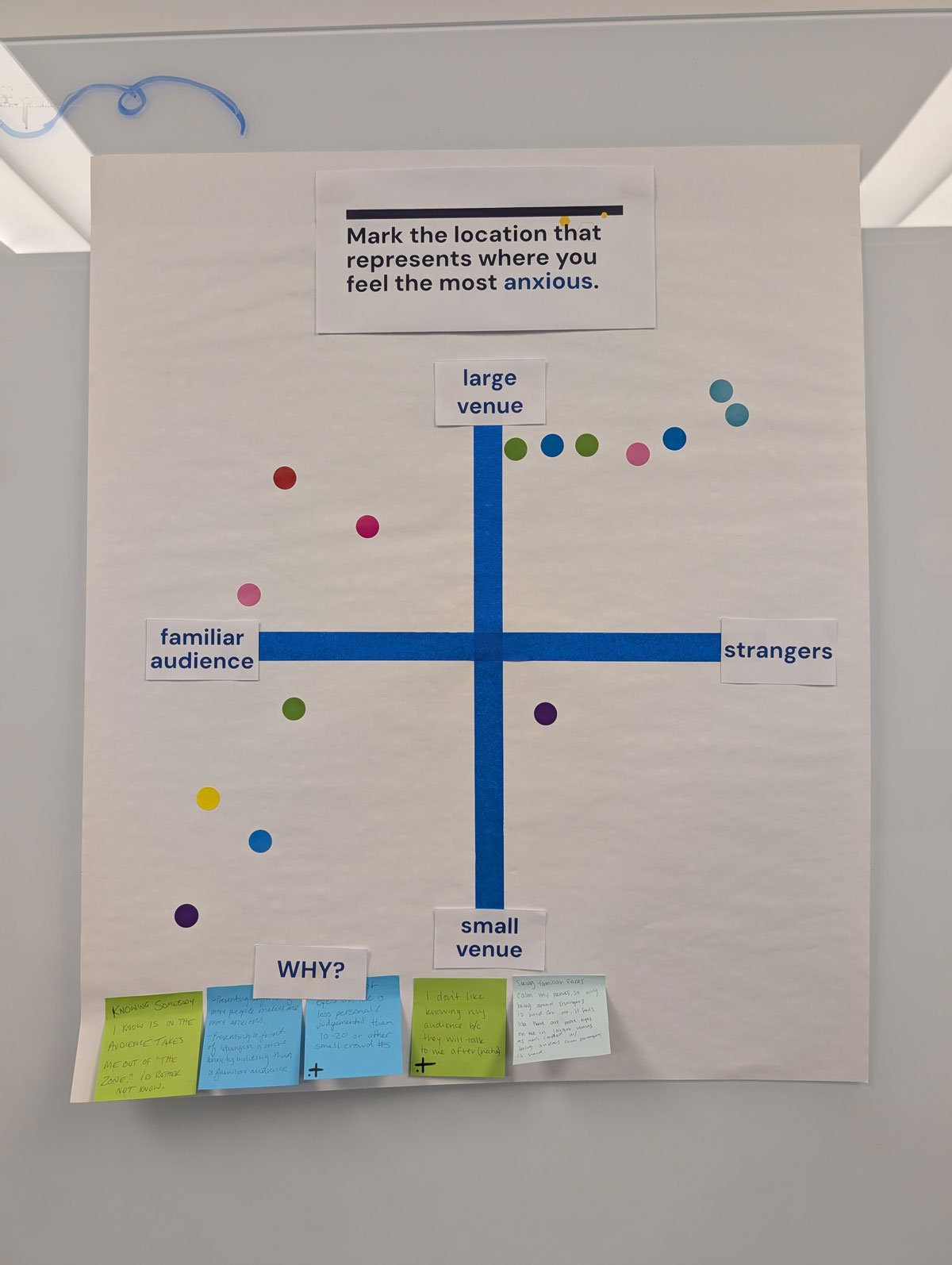
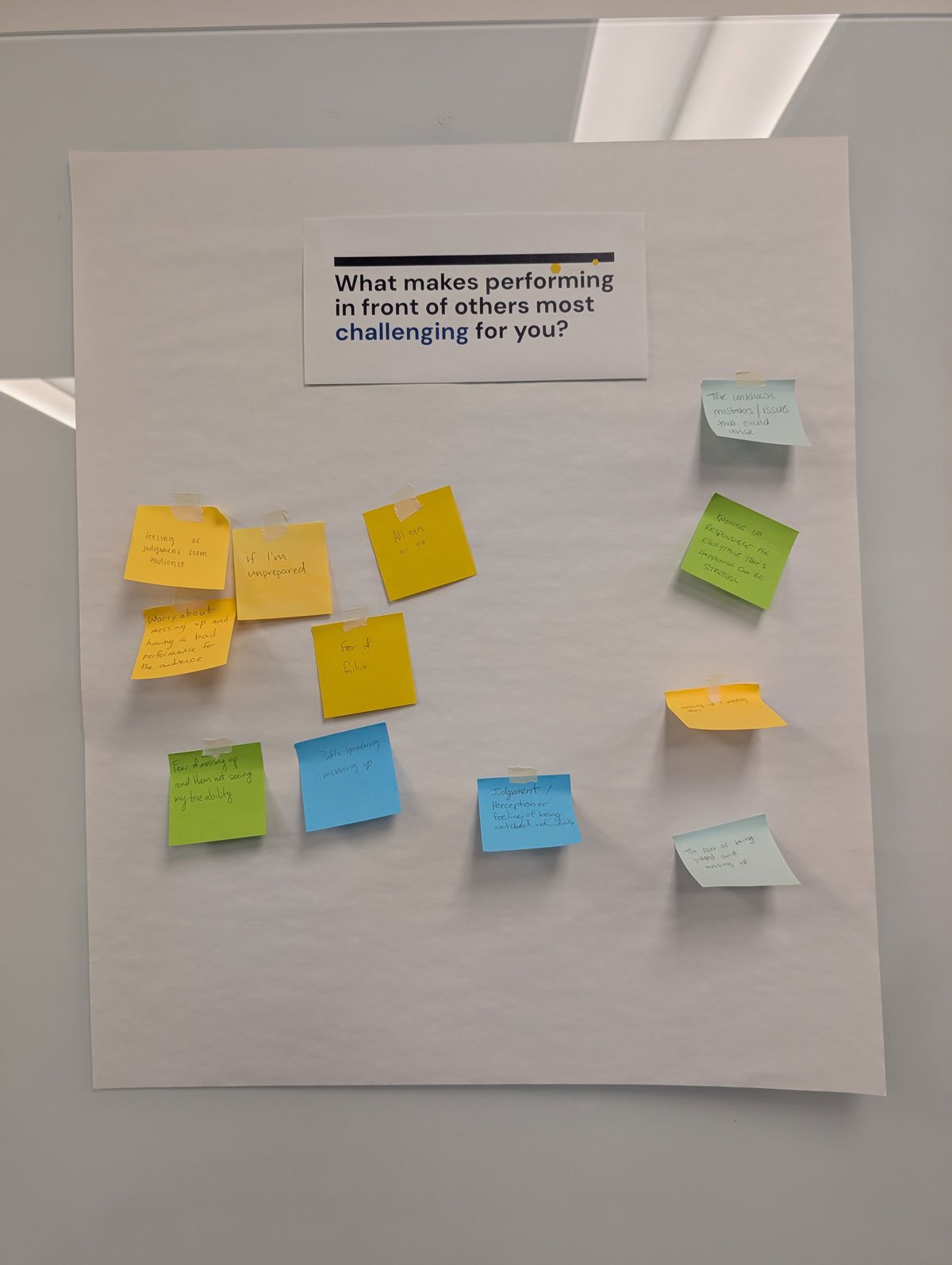
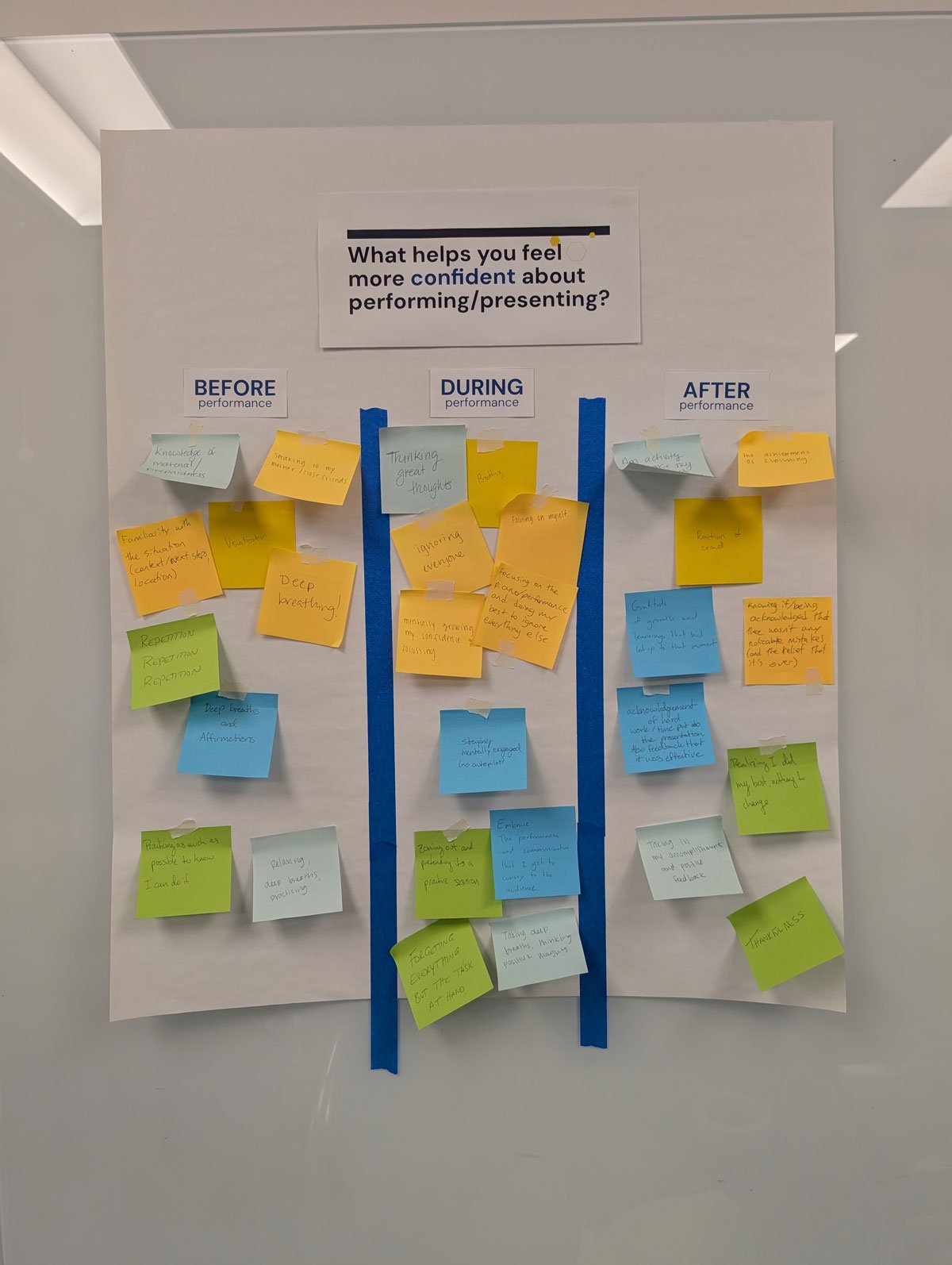
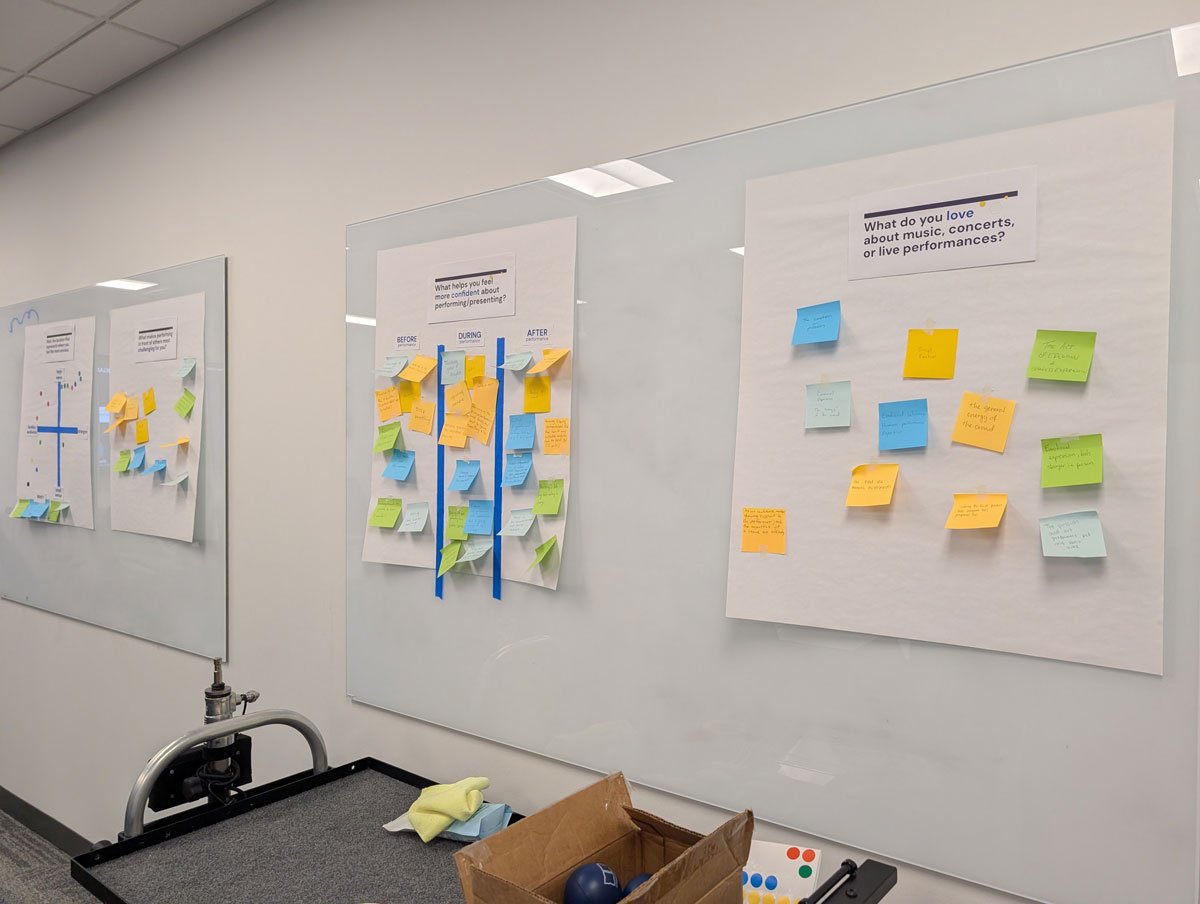
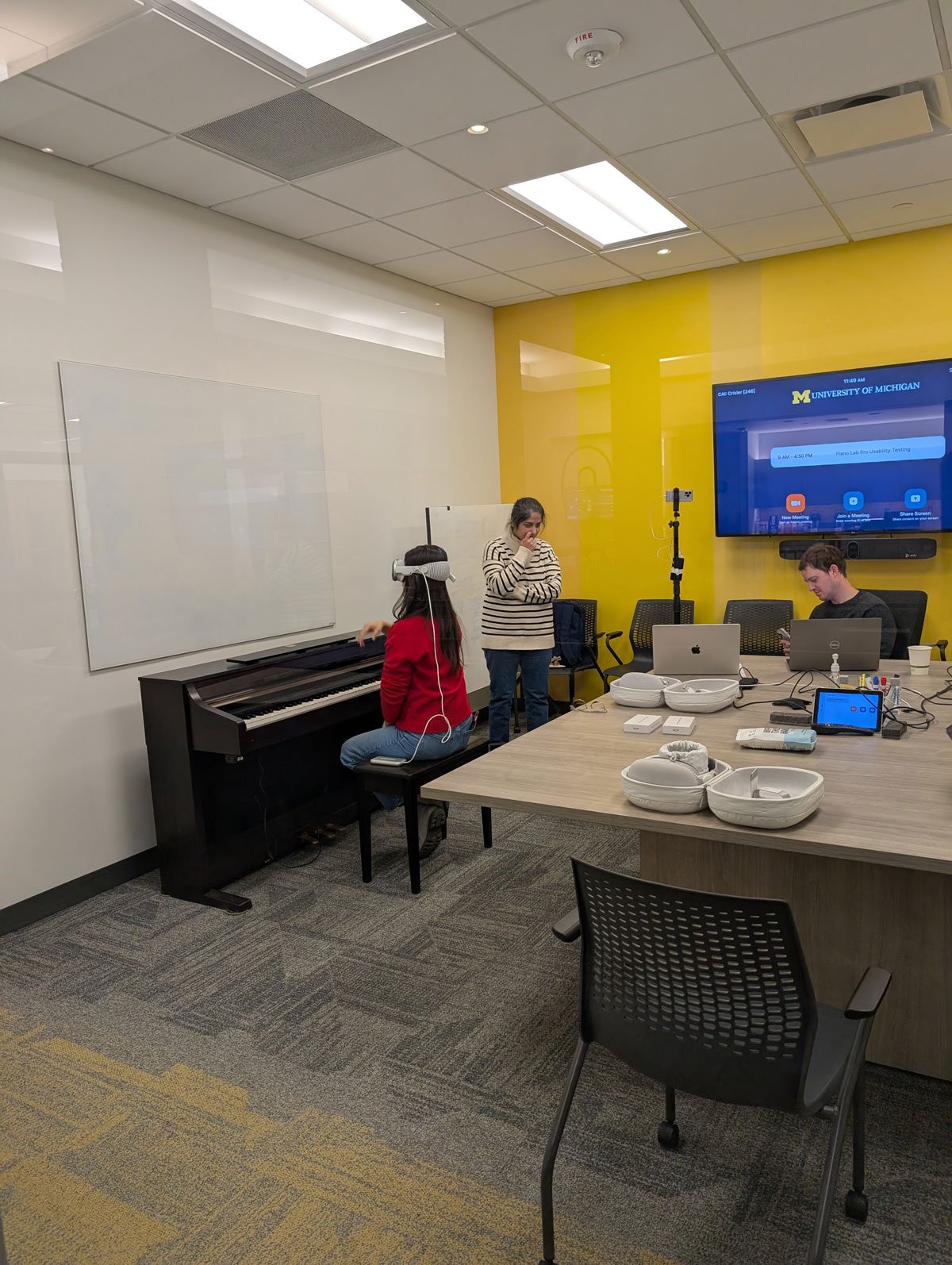
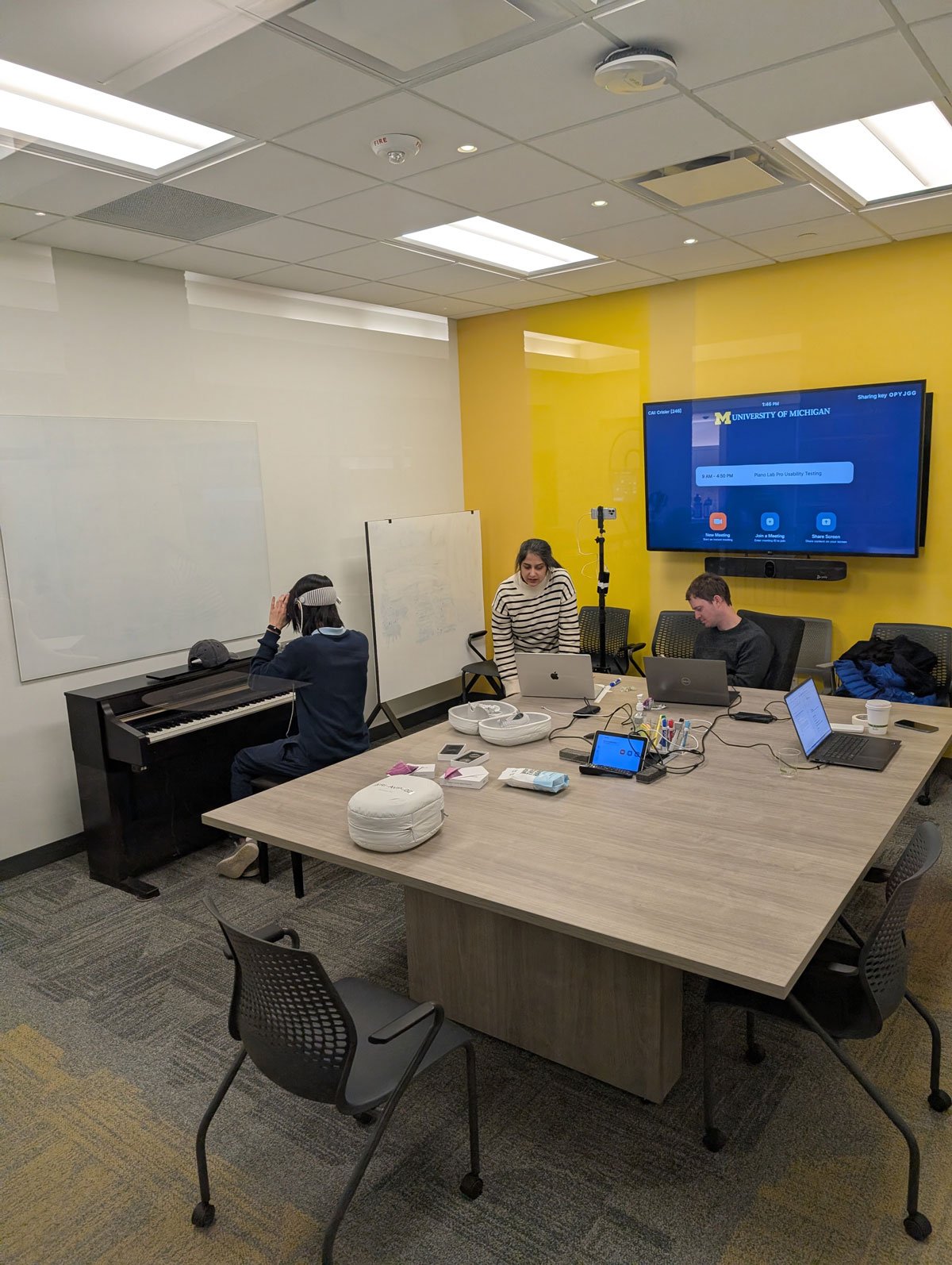
I drove development through an iterative, prototype-first process. Because faculty and stakeholders had never used a spatial computing headset, early prototypes were designed to be tangible and fast, giving non-technical collaborators something to hold and react to rather than a spec document to read. I was a key contributor to the requirements-gathering and design jam sessions that defined user personas, learning objectives, and desired outcomes, and I translated those outcomes directly into testable builds.

Technologies Used
🎼 Swift · SwiftUI
🎼 RealityKit · Reality Composer Pro
🎼 Core Bluetooth · Bluetooth MIDI · AVFAudio · AudioKit
🎼 MIDI to SoundFont integration · convolution reverb / impulse response · ambisonic audio capture
🎼 instanced mesh geometry · USD asset pipelines · material atlasing
Early Prototyping & Feasibility Work
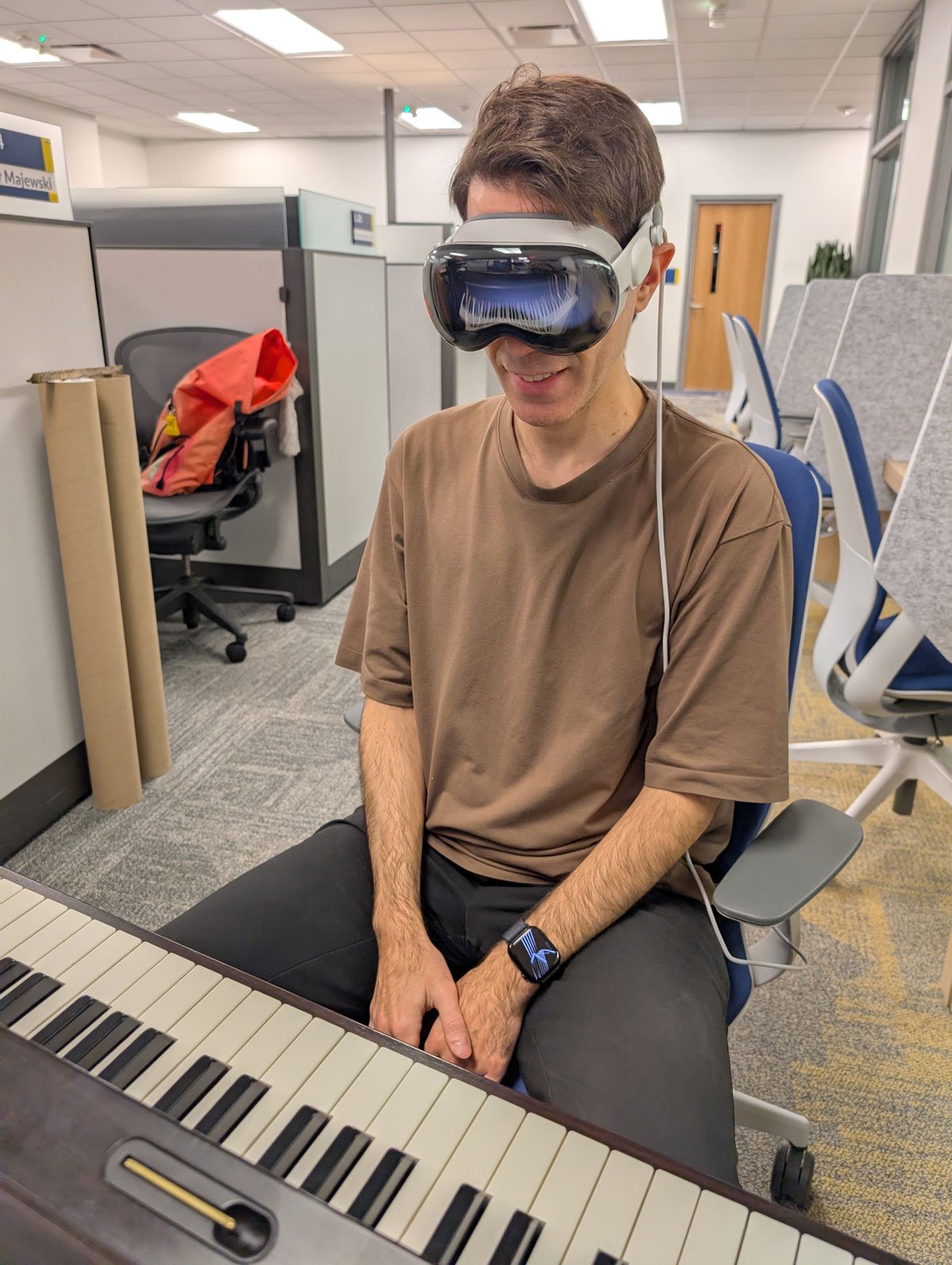
🎵 Built an interactive piano prototype in passthrough mode that could be dragged with a one-hand pinch and rotated with a two-hand pinch gesture, giving faculty an immediate hands-on demo with the headset.
🎵 Implemented persistent spatial anchors so the piano's position, once set, remained locked to its real-world location for the full session.
🎵 Prototyped passthrough "cutouts" inside a fully virtual room using occlusion materials on a draggable, rotatable cube, allowing a user to reveal the real world through an otherwise virtual scene. This became the foundation for letting students see their real keys, hands, and sheet music while immersed in the concert hall.

Feature: Piano Audio Reproduction
Notes played on the student's physical piano are transmitted over Bluetooth MIDI and reproduced in the headset through a sampled Steinway grand piano instrument, then run through a spatialized signal chain that blends convolution reverb (captured from Hill Auditorium) with a dry signal path, so the instrument sounds like it is physically positioned in a large hall. The audio is spatialized to sound like it originates from the locatiton of the piano.
First iteration
I initially tested direct microphone capture of the piano, but it introduced significant noise and nearly a full second of latency once spatial reverb was applied, which was unusable for live performance. I then researched MIDI integration options for the Vision Pro and identified a BLE Bluetooth MIDI adapter. I used the Core Bluetooth framework to detect and connect to the device, wrote custom parsing logic for incoming MIDI messages, and converted those messages into audio using a SoundFont library with grand piano samples. This MIDI-based pipeline eliminated the latency problem entirely.
For reverb, I first implemented algorithmic presets from AVFAudio and RealityKit (cathedral, small, medium, large hall), building a prototype that let faculty audition presets and tune gain and filter parameters by ear. This served as a functional placeholder while the real acoustic data was captured.
Gallery
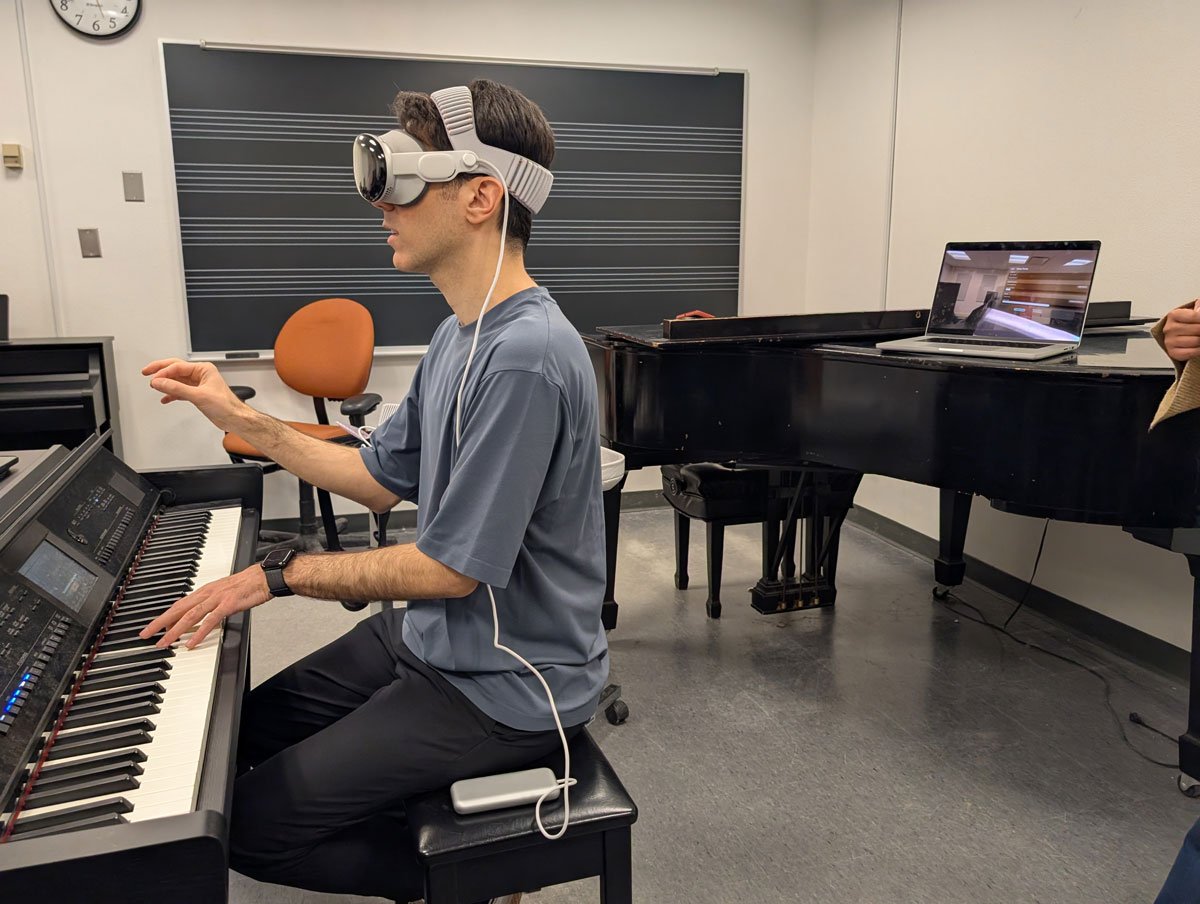
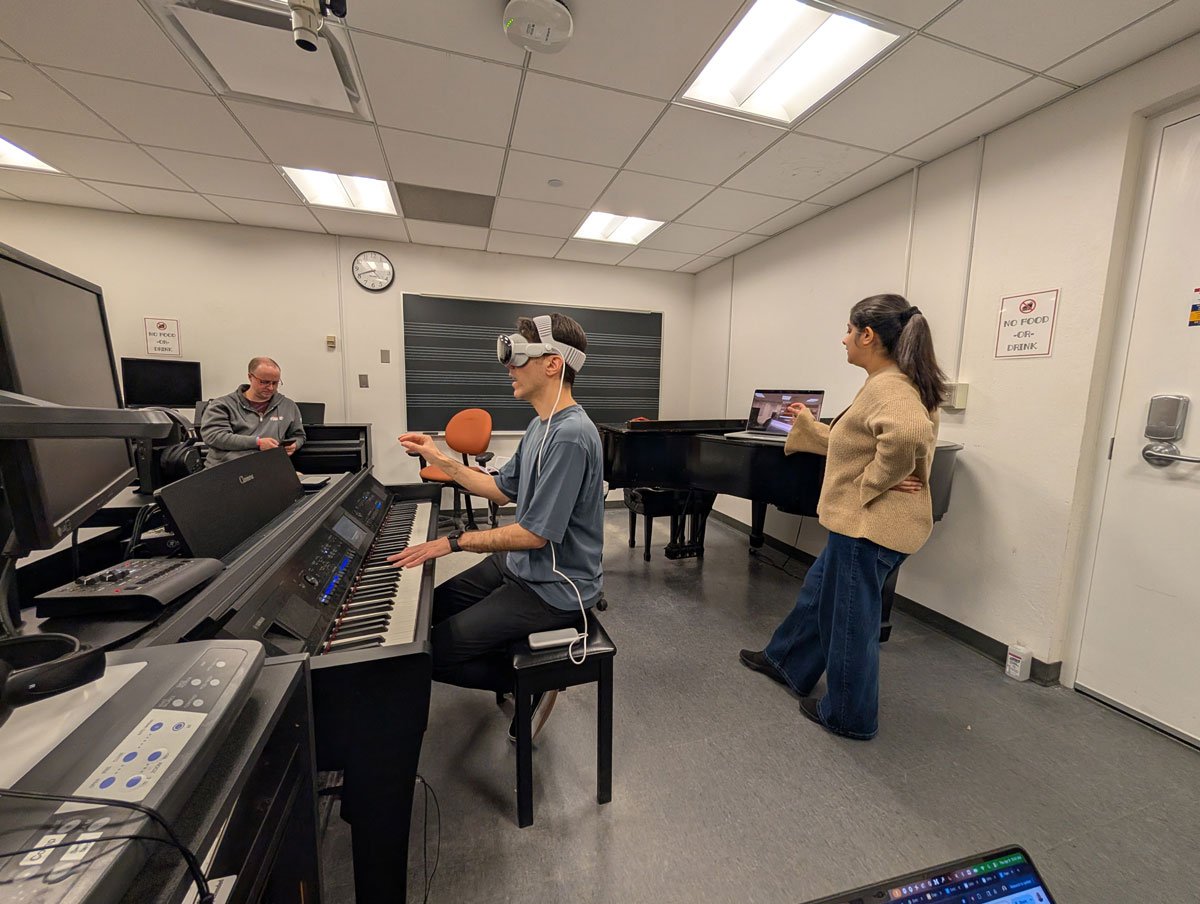
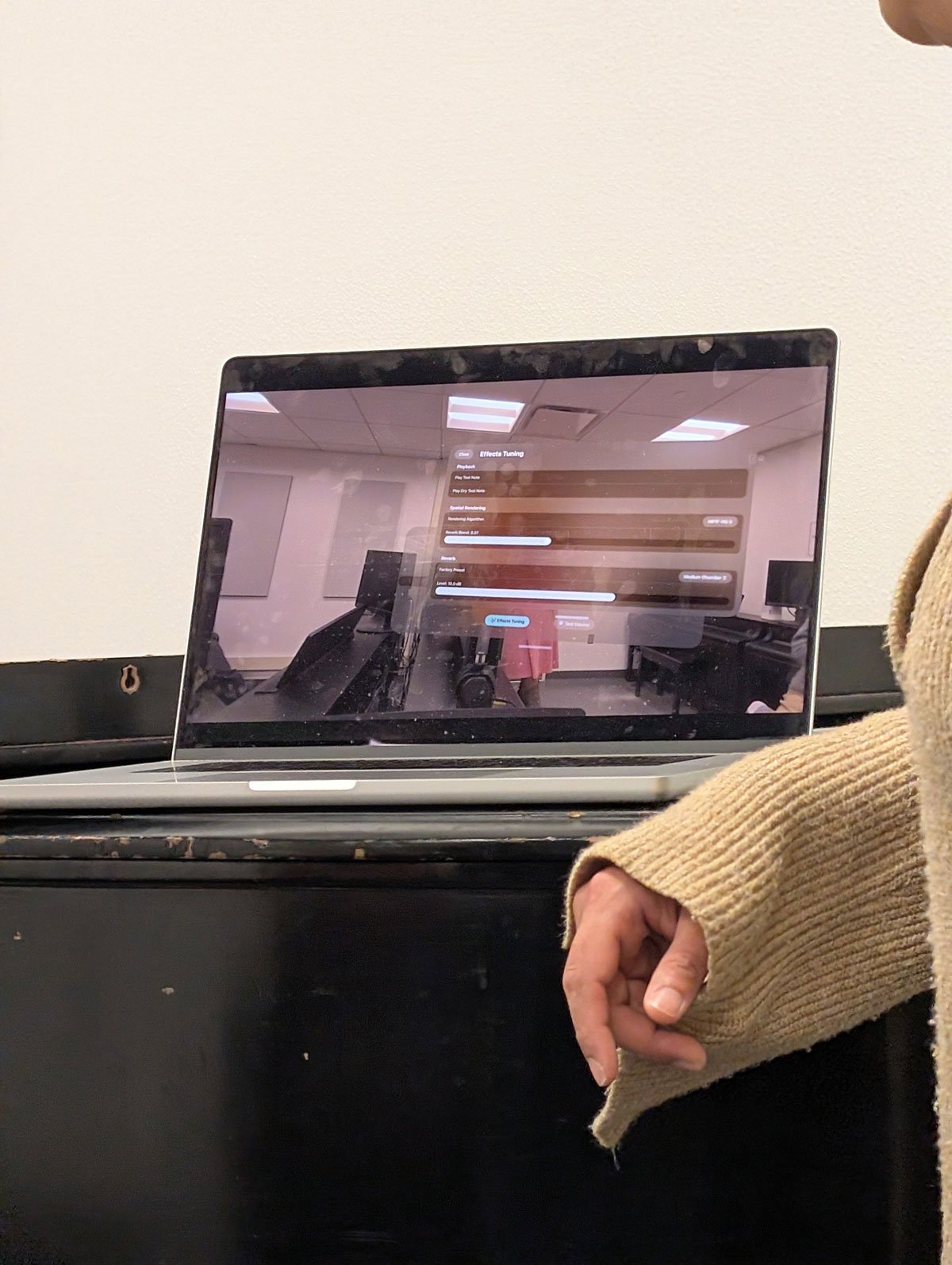
Second iteration
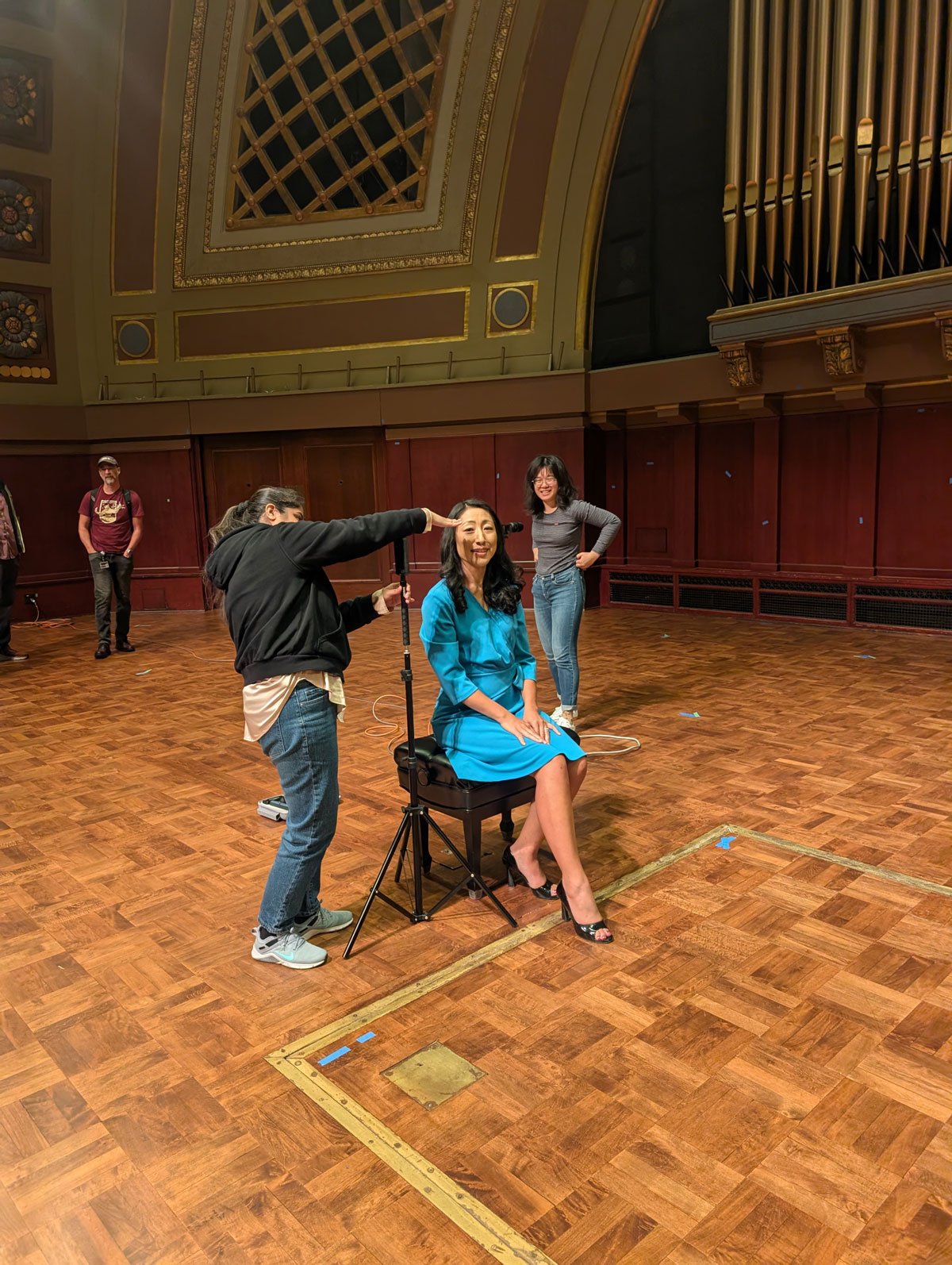
To achieve authentic hall acoustics, we recorded the real impulse response of Hill Auditorium by popping balloons at multiple locations in the space and capturing the response with a 4-channel ambisonic microphone. I applied convolution reverb to the sampled piano using that impulse response. Faculty feedback called for a more dramatic acoustic character, which required independent gain control over the dry and wet signal paths in parallel. I implemented this using AudioKit, which does not provide spatialization out of the box (unlike RealityKit), so I built custom spatialization by feeding the piano's position into the audio engine's environment node. Since the environment node expects a listener-relative position and the listener's head is always moving in mixed reality, I throttled these updates to 20Hz and only when head movement exceeded 2cm, striking a balance between spatial accuracy and performance. The result was a piano that carried both the venue's true acoustic signature and accurate spatial positioning.
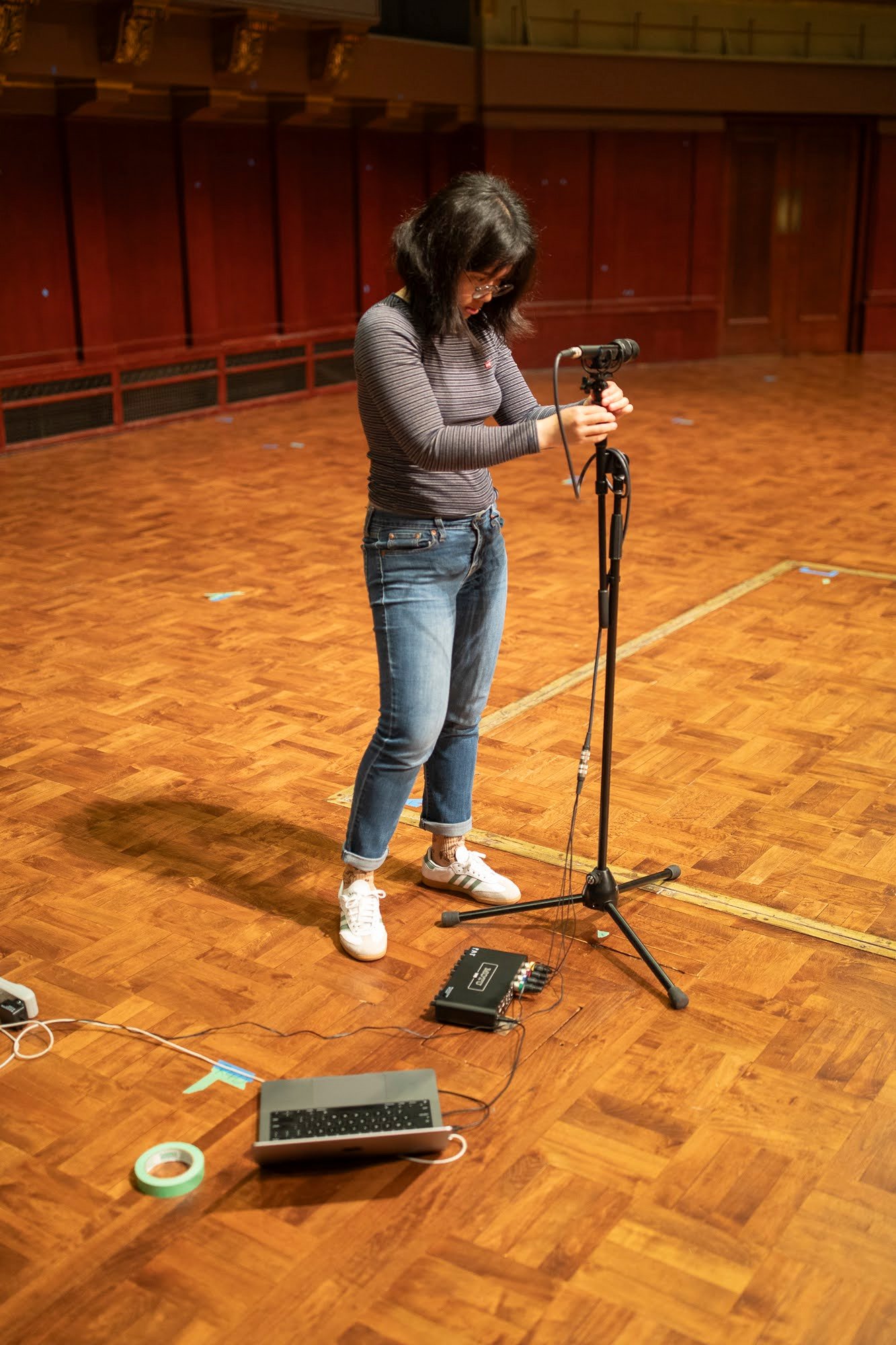


Feature: Guided Onboarding and Instrument Setup
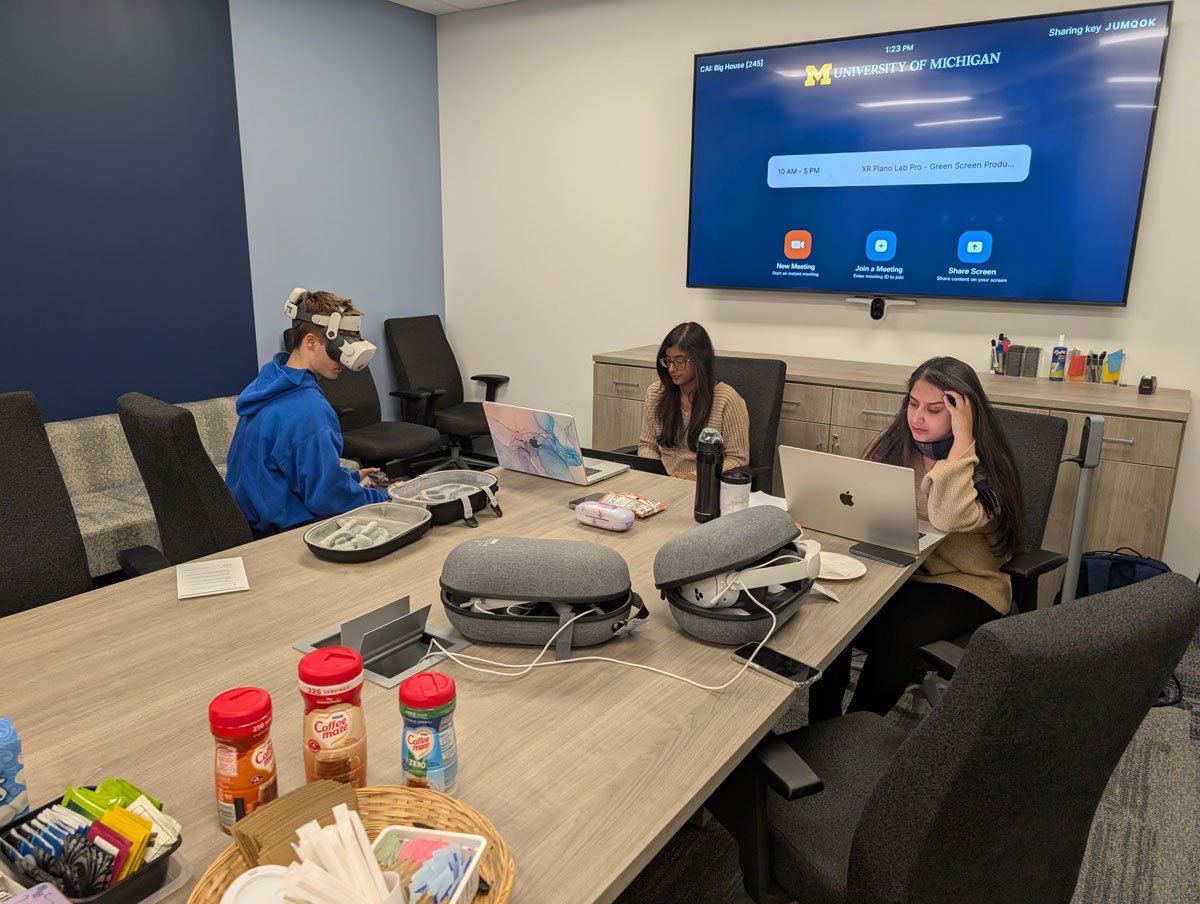
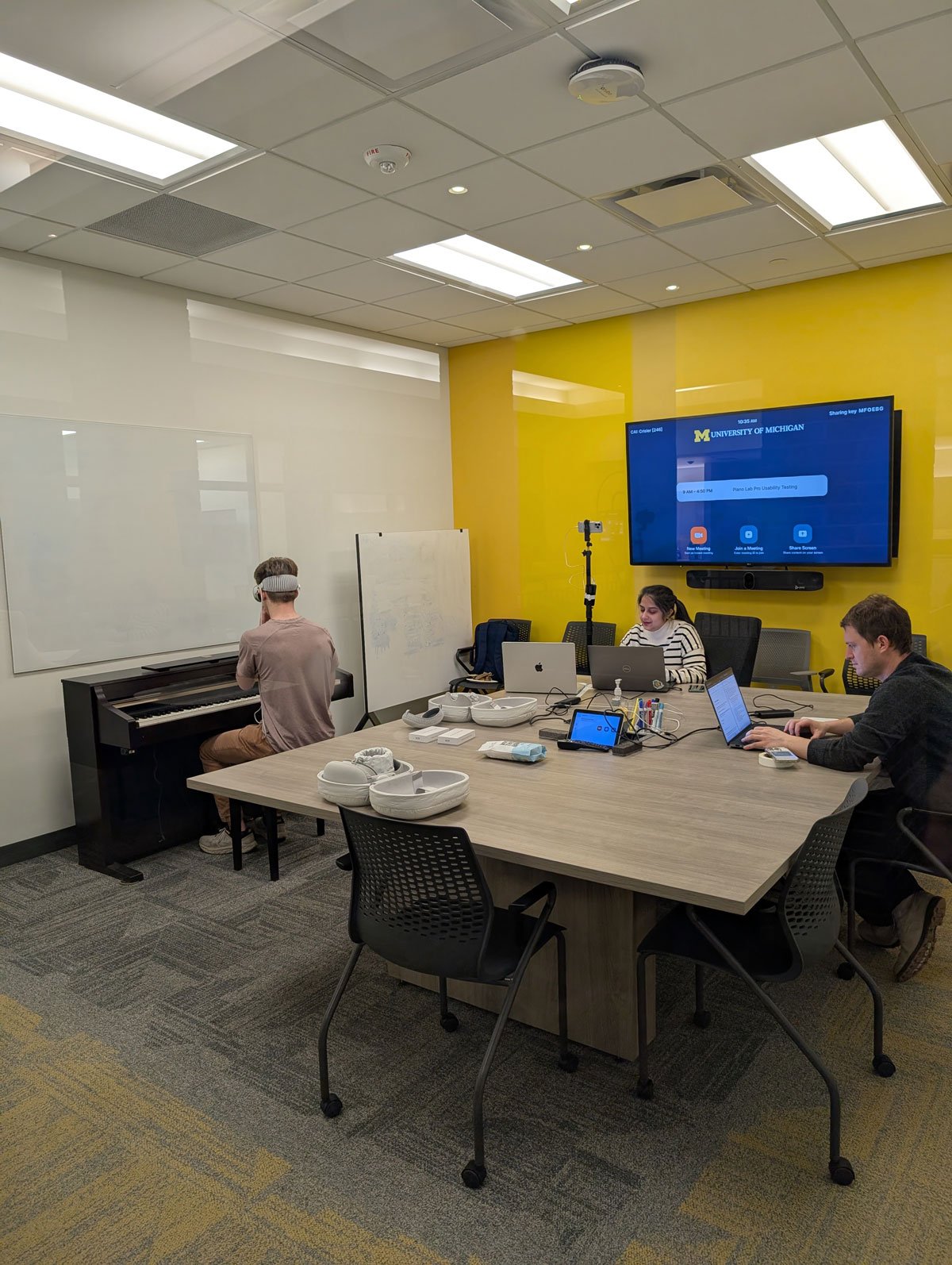
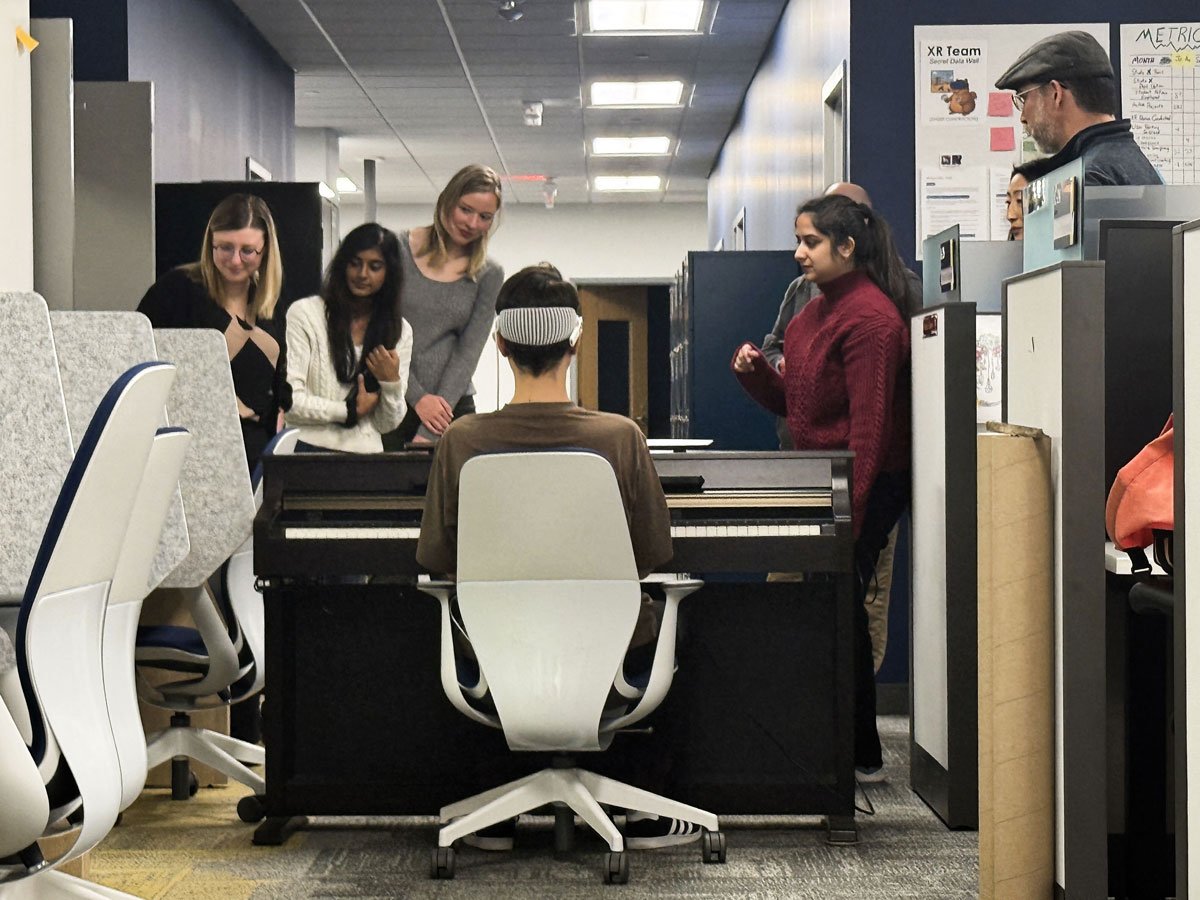
After further design workshops, I authored the first onboarding architecture by hand, mapping the major steps (MIDI connection, piano and sheet music alignment, venue selection) into a finite state machine governing transitions between modules, then built the initial navigable screens. The UX fellow iterated on this structure. We ran usability tests and A/B testing on the piano and sheet music alignment flows with roughly 20 recruited users. This testing directly shaped the final flow, particularly around how to guide students through aligning a physical piano and sheet music to their virtual counterparts, and confirming a successful MIDI connection by ear.
The finished experience is a five-step guided flow:
1. Bluetooth MIDI connection: discovers, lists, and connects to the student's Bluetooth MIDI-capable piano.
2. Audio verification: an optional troubleshooting step that reports headset output volume and flags when it is too low to hear the instrument.
3. Two-stage piano alignment: the student first positions a simplified alignment cuboid over their real keyboard, then refines placement against a semi-transparent piano model with passthrough cutouts, keeping real keys and hands visible while playing.
4. Sheet music alignment: the student positions and resizes a passthrough window onto their physical sheet music, skippable for students performing from memory.
5. Venue selection: choose between Britton Recital Hall and Hill Auditorium.
All steps are navigable in both directions and repeatable within a single session, so a student can perform, return to setup, switch venues, and start a new performance without restarting the app.
Feature: Virtual Performance Venues
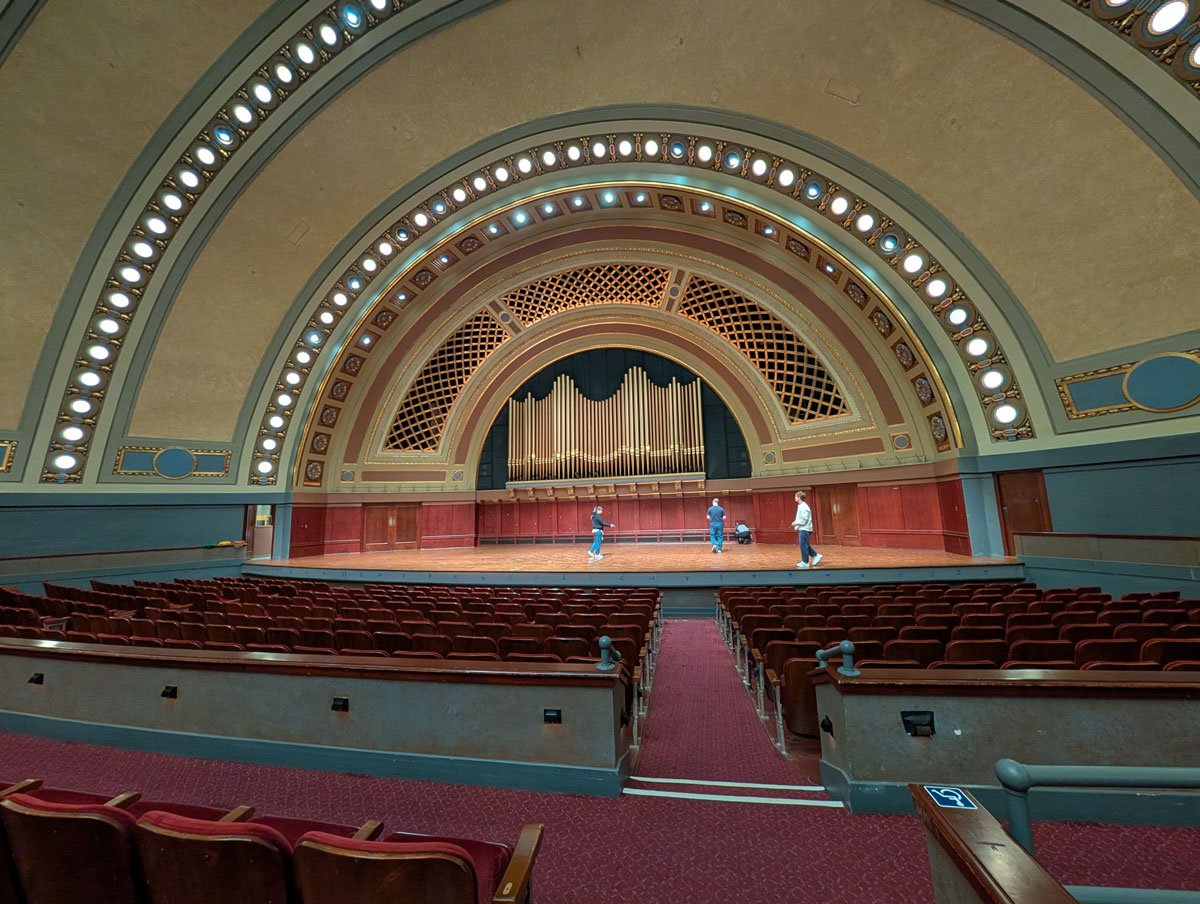
Two fully modeled venues, Britton Recital Hall and Hill Auditorium, were delivered, each automatically re-positioning and re-orienting around the student's aligned piano so the stage, audience, and seating are correct regardless of where the student is physically seated, and each populated with a full seated audience.
BRITTON
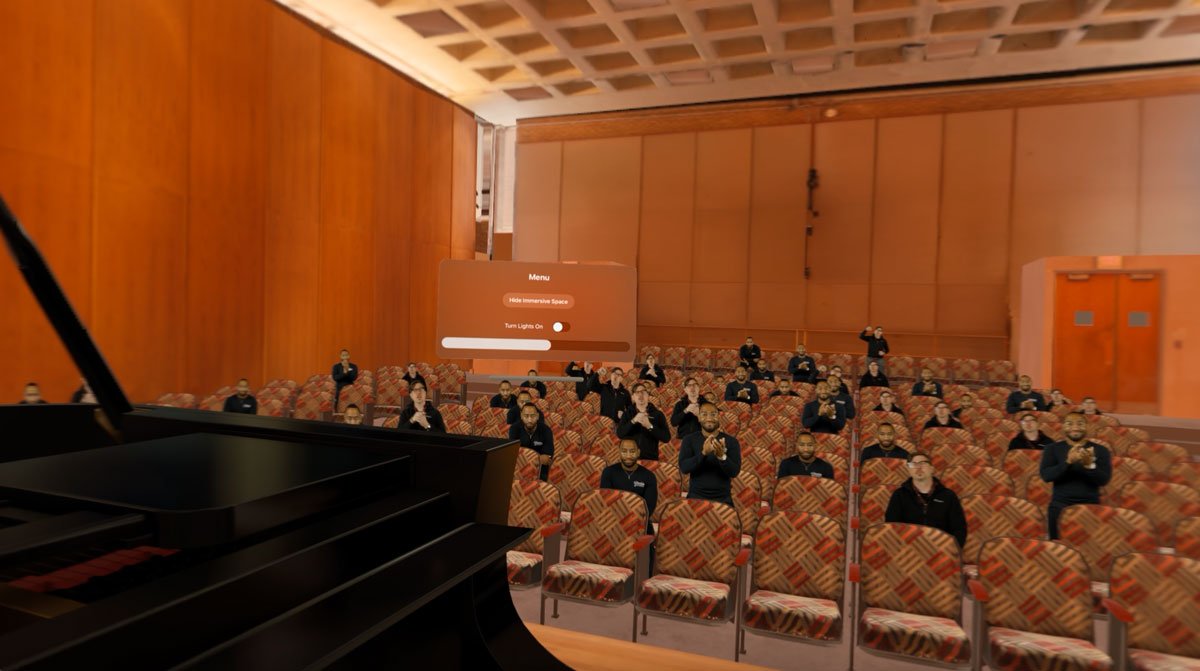
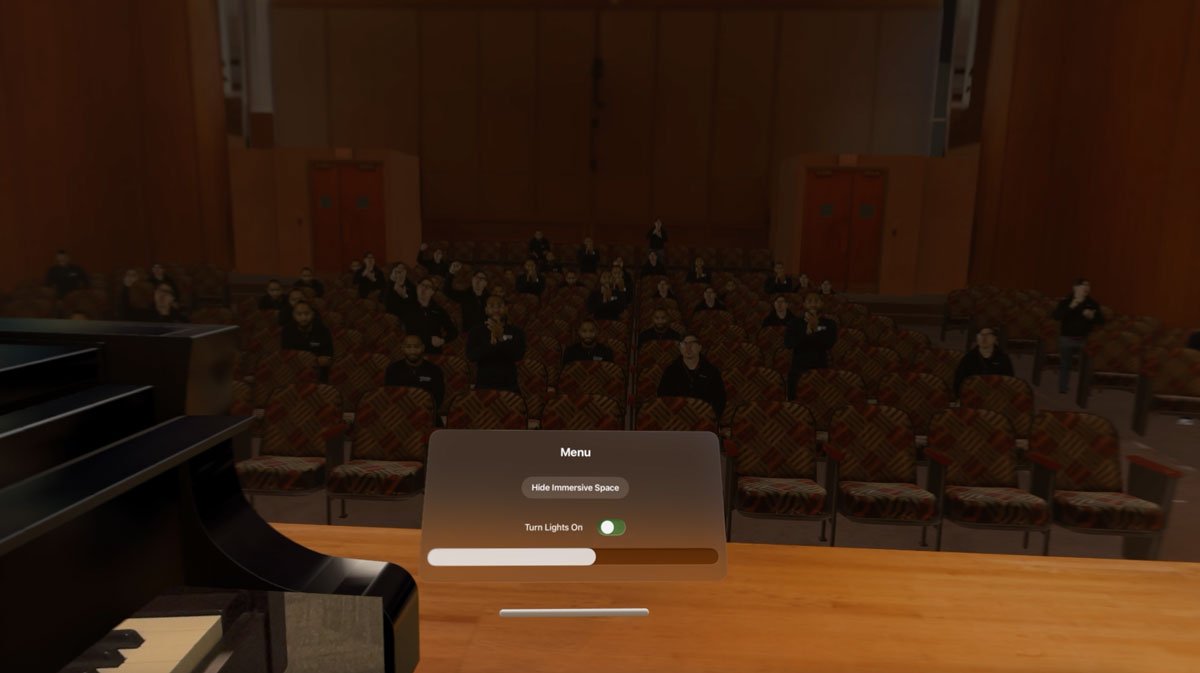

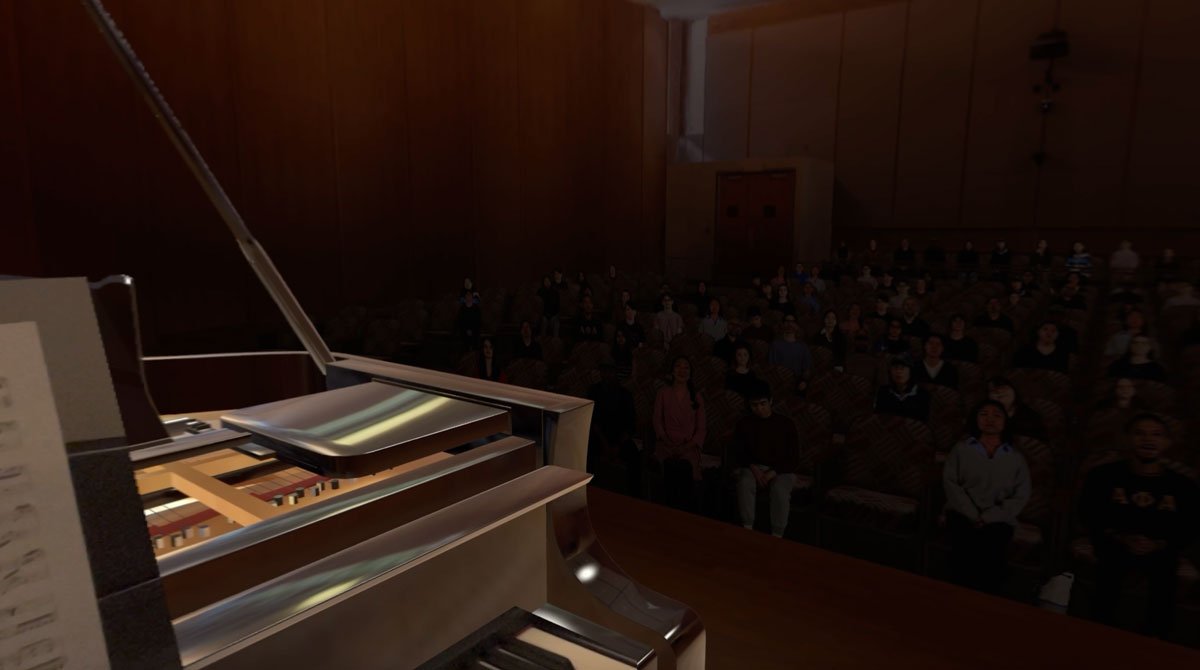
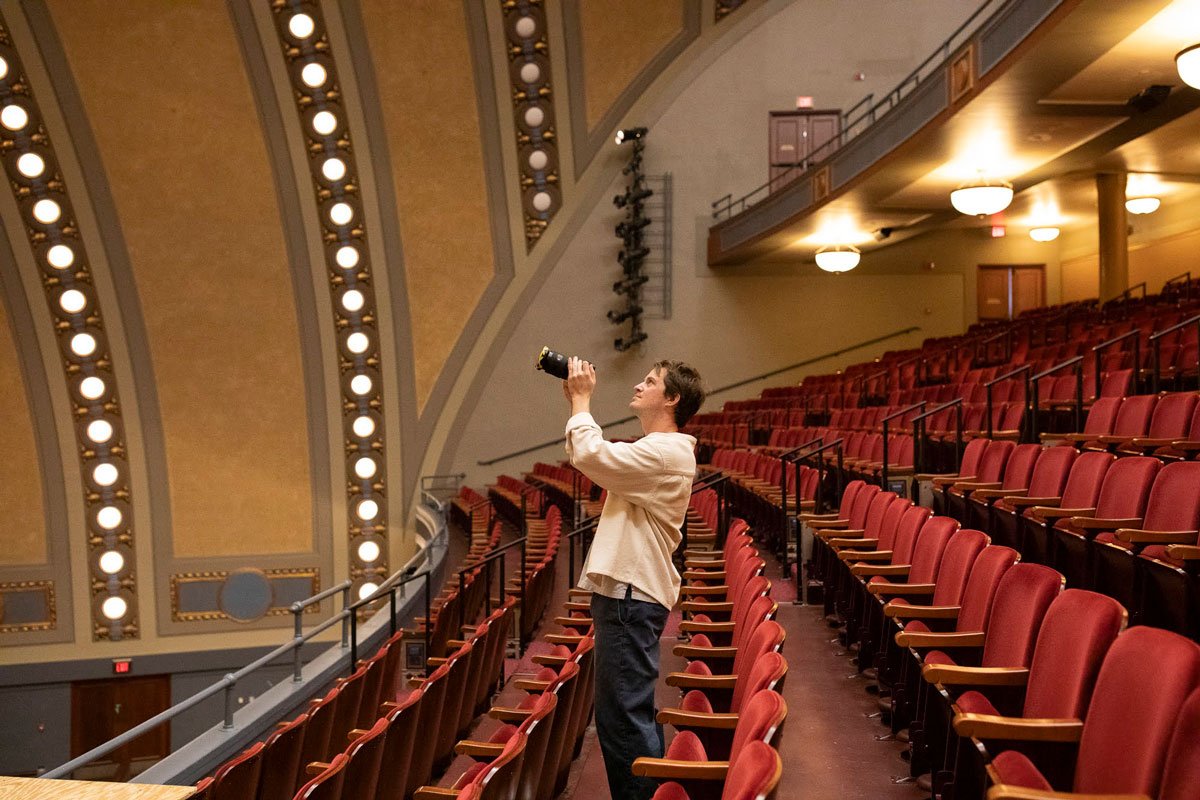
I partnered closely with a 3D environment artist to keep both venues within a 500,000-polygon budget and under 500 draw calls, with baked lighting to minimize real-time cost. The process began with 300,000+ reference photographs of Hill Auditorium (and a comparable set for Britton) captured for photogrammetry, which the environment artist used to model optimized low-poly venue geometry. Because passthrough cutouts required staying in a mixed immersive space rather than a fully immersive one, render limits were stricter, and I guided the artist on structuring each venue as a single, efficiently organized USD asset: combining meshes to control entity count and keeping the scene hierarchy shallow. I used instanced mesh geometry to populate hundreds of chairs at a fraction of the draw call and vertex shader cost of unique meshes, limited the scene to a single dynamic light for performance-phase transitions, and favored unlit materials with baked shadows wherever possible. For Hill Auditorium's ceiling lighting cue, I implemented a smooth linear interpolation between standard and masked lighting textures to transition the space at the start of a performance.
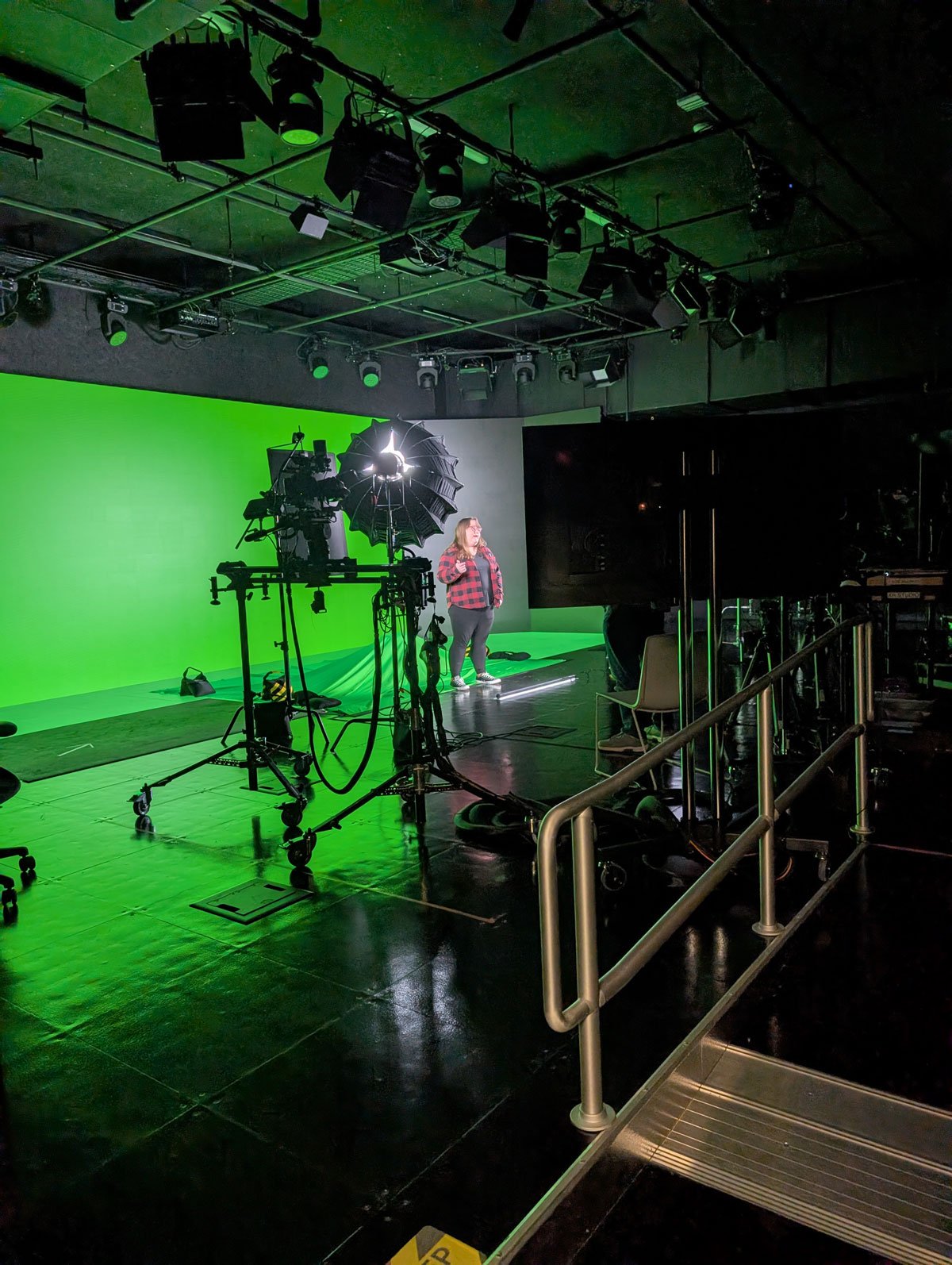
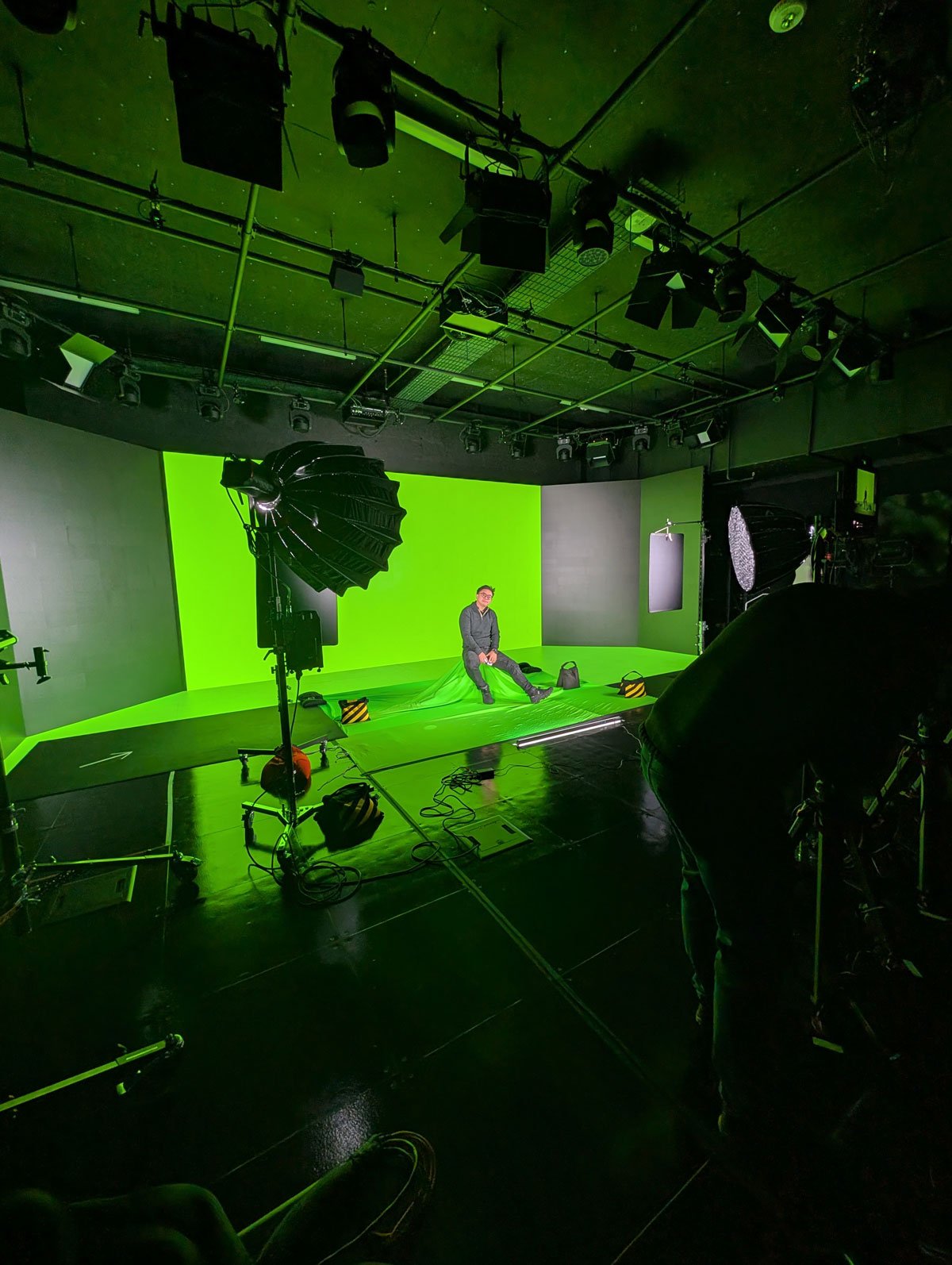
For the audience, we chose filmed people over digital avatars, since avatars could not convincingly convey authentic emotional reactions. I worked with media designers to film roughly 40 people against a green screen, producing idle, distraction, and applause loops. To populate hundreds to thousands of audience members from a handful of video assets, I implemented a material atlasing approach: front rows used a 3x3 video grid, mid rows a 4x4 grid, and further rows a 5x5 grid, filling each hall with only five unique video playbacks. For the much larger Hill Auditorium, I supplemented video-based crowds with code-populated, image-based unlit crowd members in upper balconies and distant rows, using seat locations the environment artist exported as placement markers that I used to programmatically position the audience and then hide the placement geometry.
Feature: Performance Session Transitions
I implemented the start, mid-performance, and end states of a performance:
Start: stage lights ramp up, house lighting and the audience darken, and ambient sound fades from pre-performance chatter into quiet floor noise, replicating the moment a real recital begins.
Mid-performance: Throughout the performance the audiennce causes radom visual and auditory distractions such as shifting in their seat, taking a photo, sneezing and coughing.
End: stage lights fade down, house lights rise, all distractions stop, and the audience rises into a standing ovation with synchronized applause.
Feature: Venue Spatial Audio for Audience
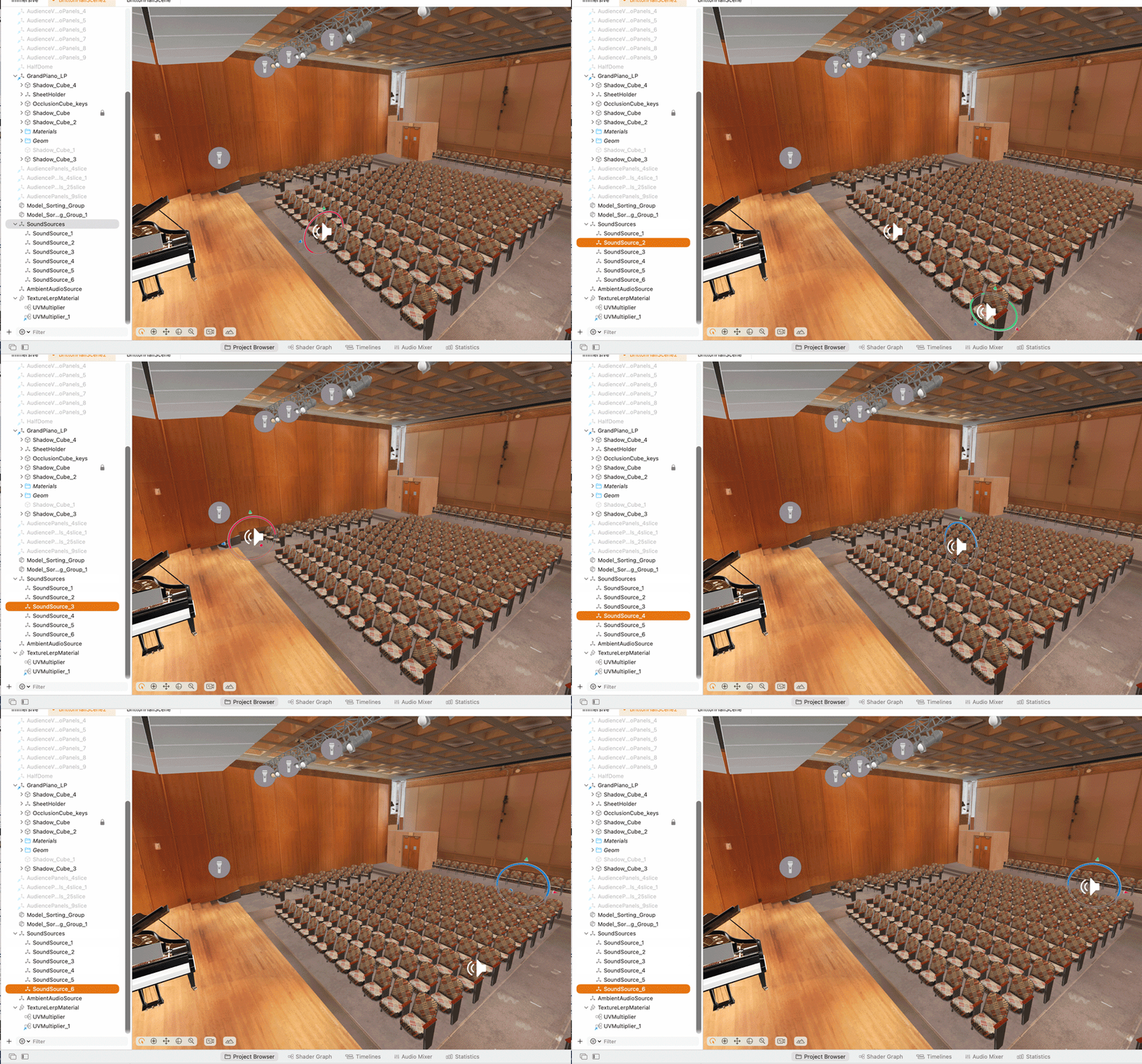
Audience and ambient sound are fully spatialized so that distractions are perceived as coming from specific physical locations in the hall, transitioning across pre-performance chatter, floor noise during the performance, and cheering at its conclusion. I implemented this as an audio system independent from the piano/MIDI pipeline, built on RealityKit's native Spatial Audio. Britton Recital Hall uses 7 unique sound origin points across the audience (with door-related distractions always anchored to the actual door location); Hill Auditorium uses approximately 14 origin points spanning the main floor through the mezzanine and balcony. Distractions are triggered through a biased randomization system beginning the moment a performance starts.
Feature: Audience Distractions
Two independent distraction systems run throughout a performance:
🎹 Visual distractions: individual audience members break from an idle loop into behaviors like shifting in their seat, reaching into a bag, checking a phone, or sneezing.
🎹 Auditory distractions: positioned, one-shot sounds triggered from specific seats across three severity tiers:
🎵 Tier 1 (low attention): chair creaks, footsteps, sniffles, a vibrating phone, a zipper, a camera shutter.
🎵 Tier 2 (noticeable): coughs, sneezes, candy wrapper noise.
🎵 Tier 3 (disruptive): a ringing phone, a crying infant, hall doors opening, impact sounds.
Timing and the specific audience member triggering each distraction are randomized, so no two performances are identical and students cannot rehearse against a fixed sequence.
Feature: Difficulty Profiles
Three difficulty profiles, Calm, Moderate, and Disruptive, govern distraction frequency and severity. Calm sessions draw mostly from Tier 1 at long intervals; Disruptive sessions draw heavily from Tiers 2 and 3 at short intervals. The profile is selected automatically through weighted randomization rather than chosen by the student, so a known difficulty level can't be prepared for in advance, though a student's very first session is always set to Calm to ease them into the experience.
Feature: Post-Performance Summary and Reflection
At the end of a session, a summary panel reports the difficulty profile experienced, the total number of distractions encountered, and the session duration. It also surfaces structured reflection prompts tied to performance-anxiety instruction delivered through a companion student guide website, connecting the in-headset rehearsal directly to coping strategies for recognizing and managing music performance anxiety.
Research Study Support
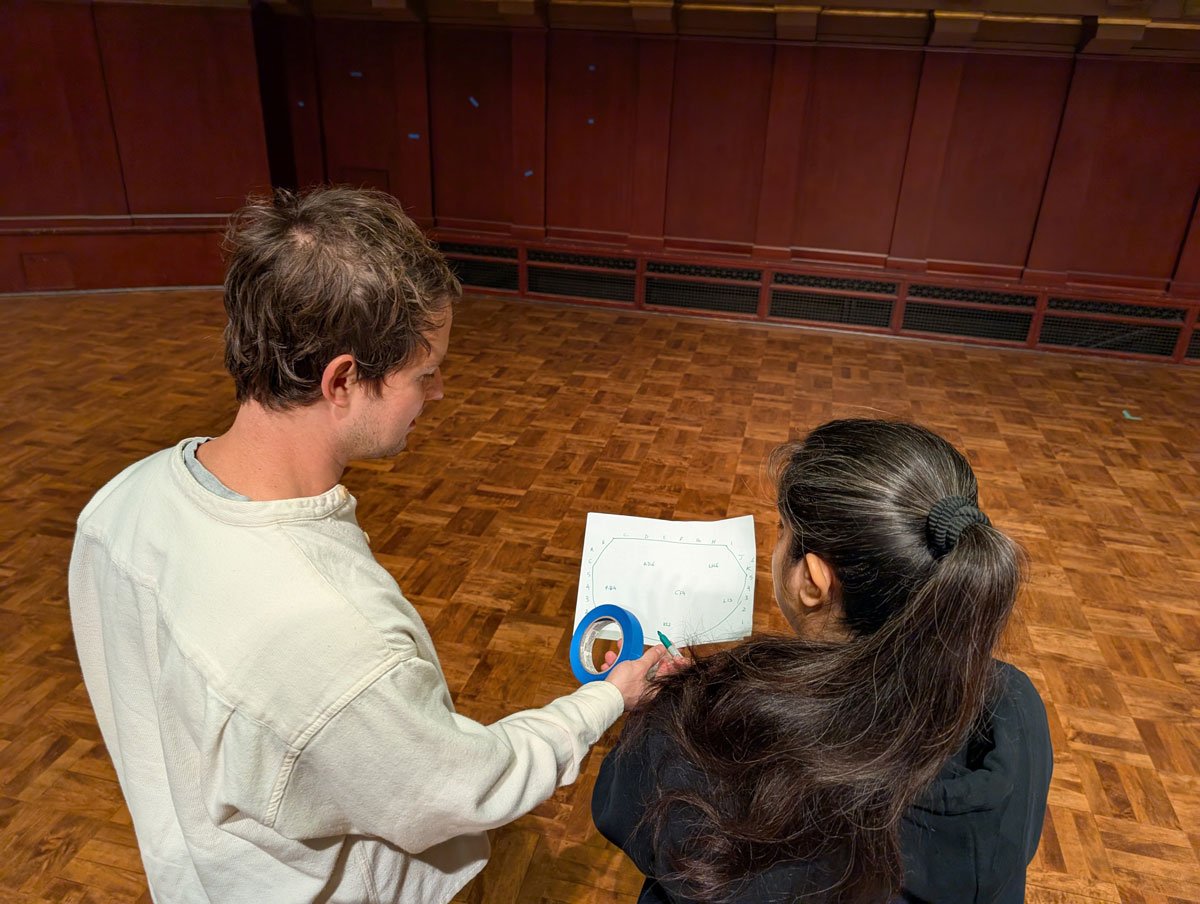
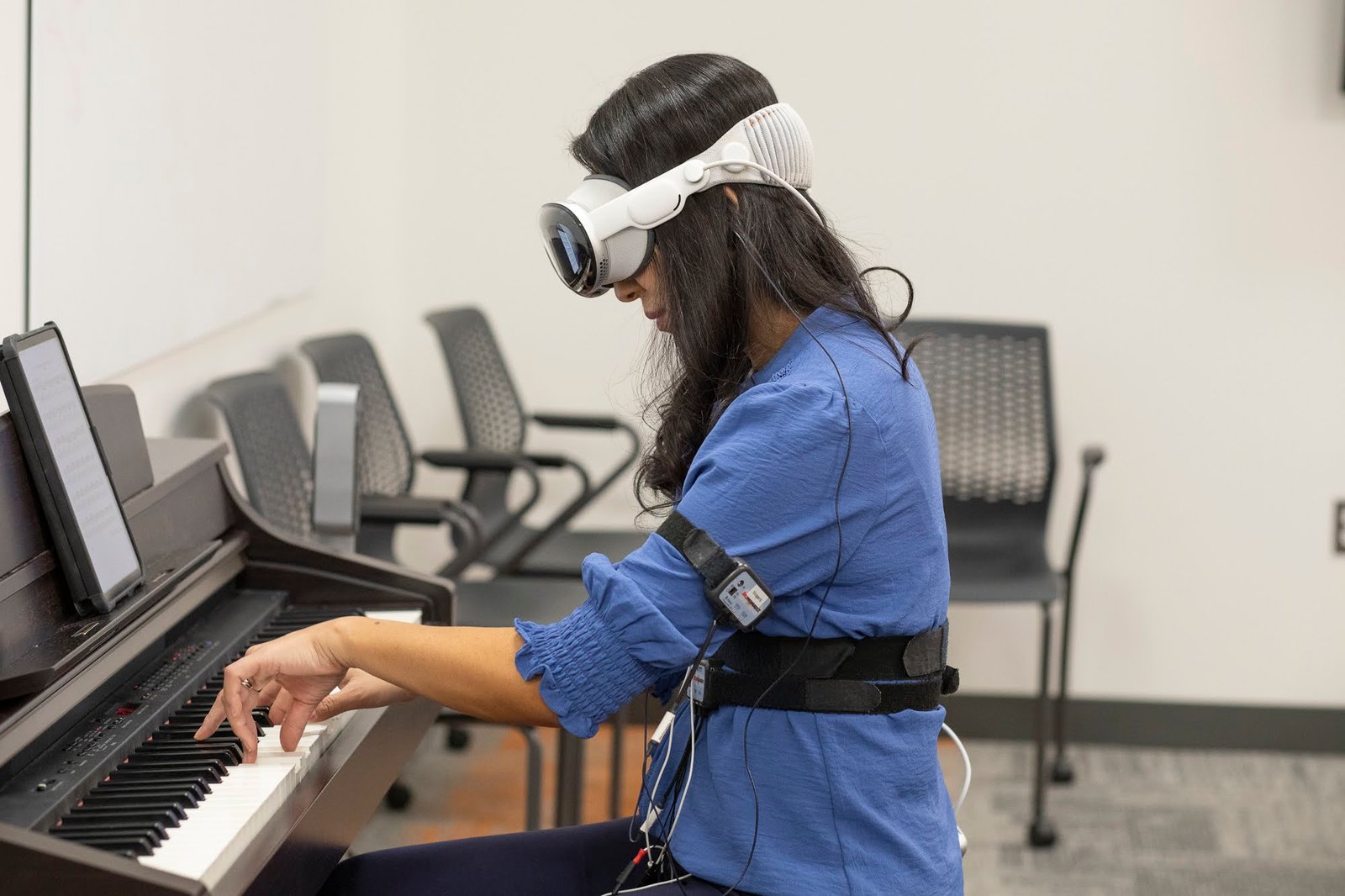
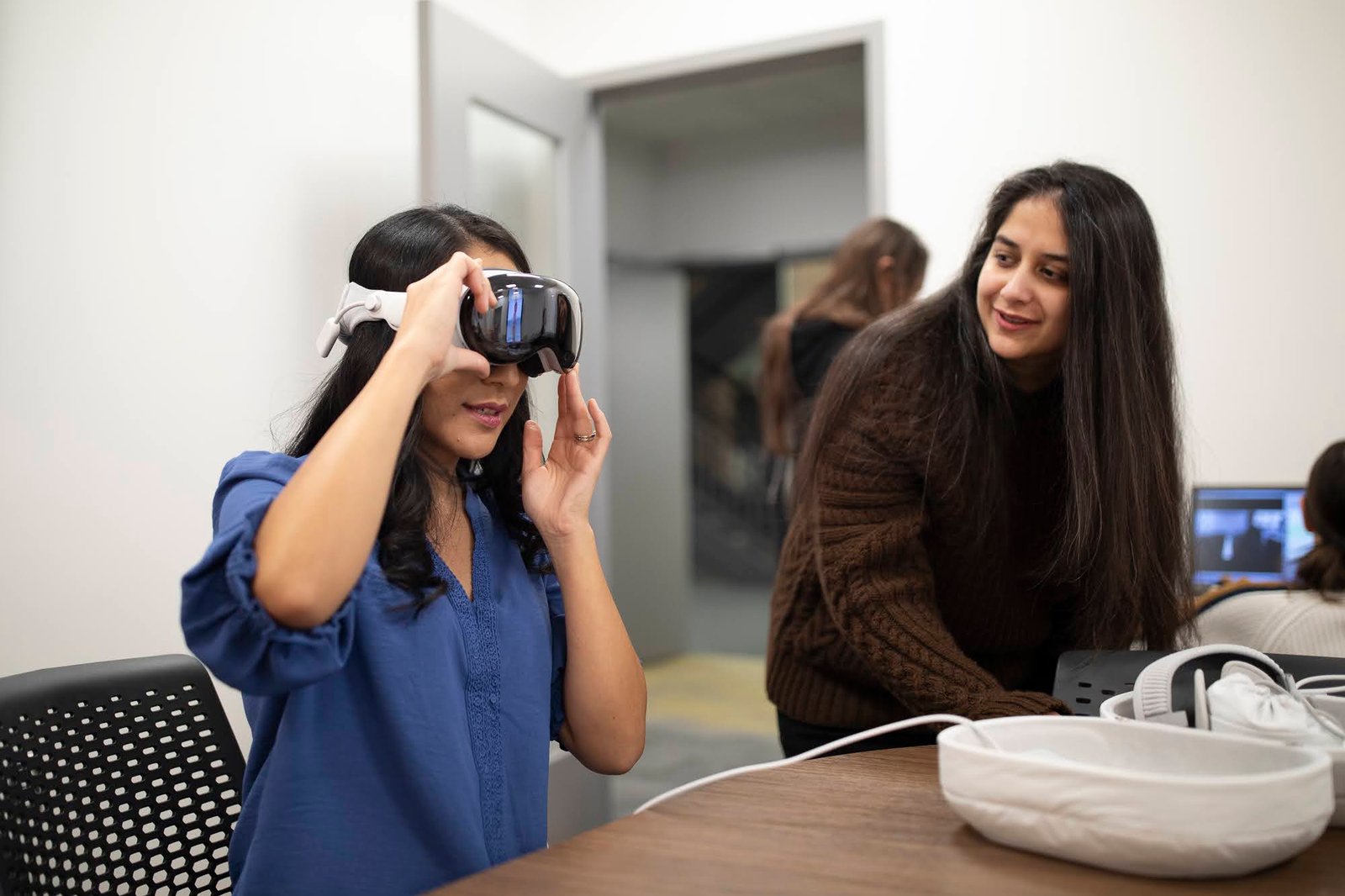
Beyond the application itself, I supported a formal research study run in partnership with the University of Michigan Institute for Social Research. Participants wore sensors, including heart rate, breathing rate, and sweat sensors positioned on the ankles, ears and waist to avoid interfering with playing, while their in-headset session was recorded on video. Participants later reviewed their own performance footage and self-reported when they felt most anxious, which was cross-referenced against the physiological sensor data, alongside pre- and post-session anxiety surveys. A pilot study ran in early 2026, and I adapted an early build, including a simplified onboarding flow and a partially populated Britton Recital Hall, so the pilot had a complete, testable environment ahead of the full venue build-out. That pilot was also demonstrated to a visiting group of musicians from the Berlin Philharmonic.
PILOT STUDY PREPARATION




Project Challenges & Solutions
🎼 Real-time piano audio with zero perceptible latency: direct microphone capture introduced noise and ~1 second of lag once reverb was applied. Solved by rebuilding the signal path around Bluetooth MIDI and SoundFont synthesis, eliminating the delay entirely.
🎼 Authentic hall acoustics without native spatialization support: AudioKit's convolution reverb doesn't spatialize audio by default. Solved by manually feeding throttled, head-relative piano position data into the audio engine's environment node.
🎼 Rendering two full concert halls with audiences of hundreds to thousands within strict mixed-immersion performance budgets: solved through polygon and draw-call budgeting, instanced geometry for seating, baked lighting, and a material-atlasing approach that represented large crowds using only five unique video assets per venue.
🎼 Designing for a device no stakeholder had ever used: solved by front-loading tangible, interactive prototypes (drag/rotate piano, passthrough cutout cube) so faculty could evaluate feasibility hands-on rather than from documentation alone.
🎼 Balancing a live research study against active feature development: solved by scoping and delivering a stable early build, including one complete venue, ahead of the pilot study's timeline.
Skills Demonstrated
🎵 Mixed Reality / Extended Reality application development for Apple Vision Pro (visionOS, Swift, SwiftUI, RealityKit, Reality Composer Pro)
🎵 Real-time audio engineering: Bluetooth MIDI integration via Core Bluetooth, SoundFont sampling, convolution reverb, custom spatial audio implementation, ambisonic field recording
🎵 Spatial computing interaction design: eye-tracking and hand-tracked gesture interactions, passthrough/occlusion techniques, spatial anchoring
🎵 Real-time 3D performance optimization: polygon and draw-call budgeting, instanced geometry, baked lighting, material atlasing
🎵 UI/UX architecture: finite state machine design for onboarding, user testing and A/B testing coordination
🎵 Technical art direction and pipeline collaboration with environment artists and media designers
🎵 Crowd/behavioral systems design (randomized visual and auditory distraction systems, weighted difficulty profiles)
🎵 Cross-functional and technical team leadership: supervising XR developer fellows, advising UXD fellow, leading code reviews, coaching engineering and spatial design practices
🎵 HCI research collaboration: supporting a physiological, sensor-based performance-anxiety research study
🎵 End-to-end product ownership: design, prototyping, architecture, development, QA, documentation, and deployment.
Outcomes & Impact
🎹 Delivered a fully functional Mixed Reality application deployed on Apple Vision Pro, combining live instrument input, spatial audio, and two photorealistic performance venues.
🎹 Being adopted into UM's introductory piano curriculum, including Piano 110, which spans 28+ sections per year for non-music majors, with the tool positioned to reach 40+ piano courses and 400+ students annually.
🎹 Validated through iterative usability testing with 40+ participants across design jams, interviews, observational usability tests, A/B tests and surveys.
🎹 Enabled a formal, sensor-based academic research study on music performance anxiety in partnership with the UM Institute for Social Research.
Recognition & Usage
🎼 Demonstrated to a visiting delegation of musicians from the Berlin Philharmonic, who responded positively to both the application and its underlying performance-anxiety research.
🎼 Selected for integration into University of Michigan's introductory piano course curriculum for the current academic year.
🎼 Basis for an ongoing, faculty-led formal research study into music performance anxiety, with active recruitment of student volunteers underway.
🎼 Public Premiere Event: PianoLab Pro was formally introduced to the university community at a dedicated premiere event held in Britton Recital Hall, one of the two venues the application recreates virtually, a fitting setting given the project's subject. Opening remarks on the project's origin, purpose, and impact were delivered by leadership from all three collaborating institutions: the Dean of the School of Music, Theatre & Dance, the Director of the Institute for Social Research, and the Chief Technology Officer of the Center for Academic Innovation. Our team and faculty then walked the audience through the process of building the application, and I gave a live demo of PianoLab Pro in the headset, followed by a live demonstration from the Institute for Social Research of the physiological sensors used to measure performance anxiety. The event drew an audience of students, faculty, musicians, and project team members.


Project Reflection
Leading development on PianoLab Pro meant defining an entire technical approach from zero: there was no existing playbook on our team for mixed-immersion Vision Pro development, real-time MIDI-to-spatial-audio pipelines, or crowd-rendering at concert-hall scale within visionOS's stricter performance limits. Being first meant most solutions, from the throttled spatial audio update strategy to the video-atlasing crowd system, were built and validated through hands-on prototyping rather than precedent. The project also reinforced how much value early, tangible prototypes have when working with non-technical stakeholders encountering a new medium for the first time: a five-minute hands-on demo consistently unlocked clearer requirements than any written spec could.